
Chrome · for music producers
Chrome for music producers on Mac: browser DAW tips and voice help in 2026
Chrome for music producers on Mac is mostly about browser studios, sample sites, and file work. The current Stable release is Chrome 157, and Wikipedia lists macOS Ventura or later as its minimum. Set up audio output, microphone access, and downloads once. Keep tabs lean, and export your work to a folder you control. Ask Lazur for help out loud when a screen stops making sense.
You say“Why is my browser studio silent?”
Lazur · explains what's on screenLazur says Chrome may need one click in the page before audio starts. It points out the muted-tab icon and the macOS output setting.
Quick answer
- Update to Chrome 157, then confirm the version under Chrome > About Google Chrome.
- Browser audio can stay silent until you click inside the page. That is Chrome's autoplay rule.
- Allow Chrome in System Settings > Privacy & Security > Microphone before you record.
- Export stems and a full mix to a folder you control. Browser storage can be cleared.
- In a PlaybackPilot survey, 79% of 413 producers named finishing tracks as a bottleneck.
157
current Chrome Stable version, dated 3 November 2026
Chrome Releases: Stable Channel Update for Desktop79%
of 413 producers picked finishing tracks as a bottleneck
The Unfinished Symphony: Why Producers Finish Less Than Half Their Music46%
of producers in the same survey finish one track or fewer per month
The Unfinished Symphony: Why Producers Finish Less Than Half Their Music96.6%
of respondents used desktop DAWs, and 3.4% used mobile
The Unfinished Symphony: Why Producers Finish Less Than Half Their MusicWhat music producers ask Lazur in Chrome
Hold ⌥ ⌘ in Chrome and say it.
“Where is the export button in this studio?”
Lazur draws a circle and a label around the export button, so you can find it fast.
Points at it · Chrome
“Why is there no sound in this tab?”
Lazur explains the autoplay rule and the muted-tab icon, then answers out loud.
Explains what's on screen · Chrome
“Walk me through unmuting this site.”
Lazur guides you one click at a time, waiting for each click before the next step.
Walks you through it · Chrome
“Remind me to bounce the stems Friday at 5 PM.”
Lazur adds the reminder to Apple Reminders for that time.
Handles the small stuff · Chrome
“Summarize the license terms on this sample pack page.”
Lazur reads the license on screen, says what it covers, and notes what it does not state.
Explains what's on screen · Chrome
“Research which browser studios support VST3 plugins.”
Lazur runs the search in its own Chrome tabs and returns a summary and a report.
Researches in the background · Chrome
“Draft a short note to my vocalist about the stem deadline.”
Lazur drafts the text and types it where your cursor sits.
Drafts it · Chrome
“Dictate the mix notes for track three.”
Hold fn and speak. Lazur types clean text at the cursor in any app.
Types what you say · Chrome
Most of your music work still happens in a desktop DAW. In a PlaybackPilot survey of 413 producers, 96.6% used desktop DAWs and 3.4% used mobile. Chrome earns its place around that work. You open sample sites, test browser studios, read plugin docs, and move files. This page shows how to set Chrome up for that job on a Mac, and where Lazur helps.
What Chrome does well in a producer's workflow
Chrome is a good home for a few music jobs. Browser studios are the biggest one. Soundtrap runs in a tab and offers an online MIDI editor, a piano roll, and automation. Audiotool calls itself a free, browser-based studio with nothing to install. It includes built-in instruments, effects, and a mixer with groups and FX sends.
The other jobs are less glamorous. You download sample packs, check license terms, read tutorials, and move stems between apps. Chrome handles all of that in one window. That matters when a session gets busy and you lose track of which tab holds what.
- Sketching ideas in a browser studio when you are away from your main Mac
- Checking a sample pack license before a loop goes into a release
- Reading a plugin manual in one tab while the DAW runs in another
- Editing with a collaborator in a studio with multiplayer editing, such as Audiotool
- Downloading stems and bounces into a folder you control
Check your Chrome version and macOS first
Start with the version number. Google's Chrome Releases post dated November 3, 2026 lists Chrome 157 as the current Stable release. Wikipedia lists build 157.0.8103.39 for Windows and macOS. The same infobox lists macOS Ventura or later as the minimum for Mac.
I could not confirm the macOS minimum on Google's own pages, so check Google's system requirements before you upgrade macOS. Google's enterprise release notes page was also out of date when I checked. It still listed Chrome 152. Use the Chrome Releases post for the current build.
- Click Chrome > About Google Chrome in the menu bar.
- Wait while Chrome checks for updates.
- Click Relaunch when the button appears, then reopen your project.
- Compare the version shown with the current Stable release in Google's blog post.
Get sound and microphone input working in Chrome
Chrome will not start audio on its own. This is the autoplay rule. Without a user gesture, Chrome suspends the audio context. Google's autoplay notes say it resumes only after you interact with the page and a sound starts. If your browser studio stays silent, click once inside the project window and press play.
That developer article dates from the Chrome 71 era, so behavior may have changed. Test the rule on your own setup. Do not rely on memory alone.
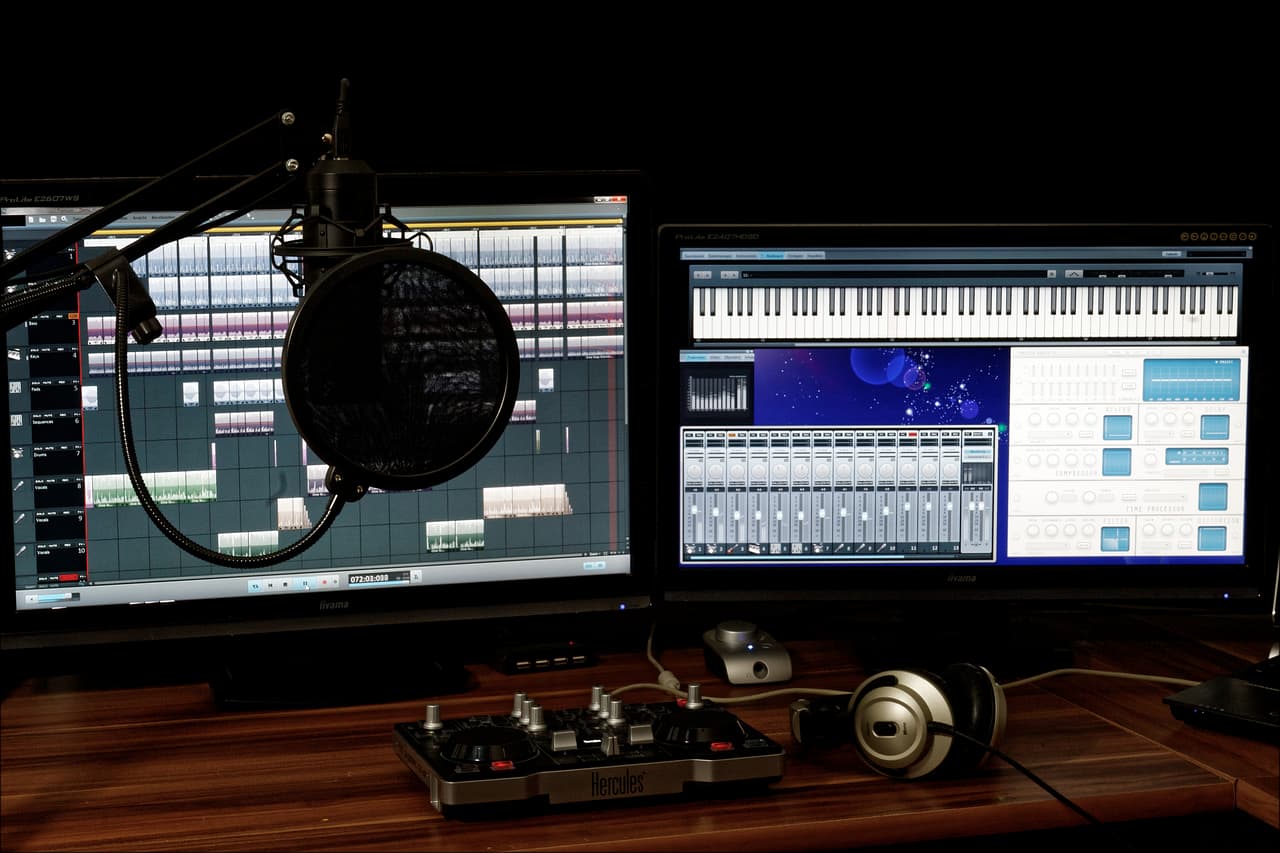
Chrome sends sound to the output you choose in macOS. Open Apple menu > System Settings > Sound > Output. Pick your interface or headphones. Then play the project again. If you swap headphones mid-session, check this setting again.
Next, check the tab itself. A muted tab shows a speaker with a slash. Right-click the tab and choose Unmute site. You can also mute a noisy site on purpose with Mute site from the same menu.
When a browser studio asks for the microphone, Chrome shows a prompt. Click Allow. To change it later, open Chrome > Settings > Privacy and security > Site settings > Microphone, then find the studio's site. Remove it from the blocked list if it appears there.
Keep projects, bounces, and stems from disappearing
Browser studios store work in different places. Some keep projects on their own servers. Others keep data in storage inside your browser. Read the help page for each app before you start a project you care about. The answer decides how well your work survives a bad session.
Export to a folder you control, such as a Music folder you made in Finder. Export stems and a full mix as well. Then your work survives a bad session, a cleared cache, or a studio that changes its storage. An export is a plain file you can open in any app.
Clearing browsing data can remove site storage. Press ⇧⌘⌫ to open the Clear browsing data window in Chrome. If you need space, select only cached images and files. Export your projects before you change anything in that window.
Find saves, samples, and downloads faster
Finding things eats time. In the PlaybackPilot survey, file organization was the top issue for professional producers, at nearly three times the overall rate. One respondent wrote, 'I waste too much time trying to find most recent saves.' Another wrote, 'Spend too much time finding samples and trouble with trying to make everything perfect.'
Chrome keeps downloads in one list. Press ⌥⌘L to open Downloads. You can also use the three-dot menu at the top right and choose Downloads. Find the file you just saved, then drag it into your DAW or a Finder folder.
Change where Chrome saves files. Open Chrome > Settings > Downloads, then click Change next to Location. Turn on Ask where to save each file before downloading when you collect sample packs. That keeps packs out of your general Downloads folder.
- Name each export with the track, the version, and the stage, such as trackname_v03_mix.wav.
- Keep one folder per track, with stems in a subfolder.
- Store sample packs in a folder named for the pack, not in general Downloads.
- Delete test bounces only after you check that the final file opens.
157
current Chrome Stable version, dated 3 November 2026
Chrome Releases: Stable Channel Update for Desktop79%
of 413 producers picked finishing tracks as a bottleneck
The Unfinished Symphony: Why Producers Finish Less Than Half Their Music46%
of producers in the same survey finish one track or fewer per month
The Unfinished Symphony: Why Producers Finish Less Than Half Their Music96.6%
of respondents used desktop DAWs, and 3.4% used mobile
The Unfinished Symphony: Why Producers Finish Less Than Half Their MusicKeep tabs lean while you track
Busy pages can cost you audio stability. Google's Audio Worklet post says older browser audio ran on the main thread, which also handles UI and DOM work. That shared thread led to audio glitches and UI jank. Keep other tabs quiet while you track. Close video tabs and dashboards you do not need.
Pin the DAW tab. Right-click the tab and choose Pin. A pinned tab stays put, so you do not hunt for it. Group reference tabs with right-click > Add tab to new group. Jump between tabs with ⇧⌘A, which opens Search tabs.
If you close the DAW tab by mistake, press ⇧⌘T to reopen it. Chrome brings back the most recently closed tab. Press it again to walk back through the list. Save your project to a folder before you do this, just in case.
Why browser audio behaves differently from a desktop DAW
Browser audio uses its own building blocks. Google's Audio Worklet post says AudioWorklet runs user-supplied JavaScript on the audio rendering thread. The older ScriptProcessorNode ran on the main thread. Audio Worklet has been on by default since Chrome 66. The table shows the difference.
| Point | ScriptProcessorNode (older) | AudioWorklet (current) |
|---|---|---|
| Where audio code runs | Main thread, shared with UI and DOM work | Audio rendering thread, separate from the UI thread |
| Known problem | Audio glitches and UI jank when the main thread is busy | Audio code does not share the UI thread |
| Chrome status | Older approach | On by default from Chrome 66 |
A desktop DAW gives you driver and buffer settings in one place. Browser studios usually hide those controls. I did not find a verified latency figure for Chrome on a Mac, so measure your own setup. Record a short test take and listen for delay before you start a full session.
Plugins and MIDI controllers in a browser
Plugin support depends on the studio. Audiotool says you can use your VST3 plugins. Some sources say most browser DAWs cannot host VST plugins. I could not settle that conflict from the sources I opened. Check each app's documentation before you build a project around one plugin.
MIDI works in Chrome through the Web MIDI API. The page must run in a secure context, and the user must grant permission. When a studio asks for MIDI access, Chrome shows a prompt. Allow it. If your controller does not appear, unplug it, plug it back in, and reload the studio tab.
I did not verify Chrome and Safari support for Web MIDI, because the MDN compatibility table did not load. Check MDN's browser table yourself before you buy a controller for a browser workflow.
What the survey says about finishing tracks
Finishing is the biggest bottleneck in the survey. In a PlaybackPilot survey of 413 producers, 79% picked finishing tracks. Organization came next at 60%. Inspiration followed at 48%, and collaboration at 38%. Respondents picked 2.3 challenges on average.
| Bottleneck | Producers who picked it |
|---|---|
| Finishing tracks | 79% |
| Organization | 60% |
| Inspiration | 48% |
| Collaboration | 38% |
The same survey asked about output. Producers aim for 7.9 tracks per month and finish 3.7. The article says 46% finish one track or fewer per month. Its 42% headline figure does not match 3.7 divided by 7.9, which is about 47%.
Treat these numbers as directional. The sample came from Meta ads, so it is self-selected. Respondents could pick several answers. An EDMProd survey of 1,097 producers put knowing where to start at the top, with 19%. That survey gives no date for its fieldwork.
A worked example: a silent browser session
Here is a sequence for a session that stays quiet. Each step rules out one cause. Work through it in order, and stop at the first step that fixes the sound.
- Click once inside the studio window, then press play. This covers the autoplay rule.
- Look at the tab for a speaker with a slash. Right-click the tab and choose Unmute site if you see it.
- Open Apple menu > System Settings > Sound > Output and confirm your interface is selected.
- Record a short test take. If it is silent, open System Settings > Privacy & Security > Microphone and confirm Google Chrome is on.
- Export a short bounce and open it in another app. If it plays there, the export works and the problem lives in the browser session.
Most of these checks take seconds. If you want a guide while you work, ask Lazur to walk you through each step. It waits for each click, so you stay in control of the Mac.
Mistakes producers make in Chrome
- Clearing all browsing data to free space, then losing a project that lived in site storage.
- Allowing the microphone in Chrome but recording from the wrong input in macOS.
- Keeping video tabs open during a tracking session, then wondering why audio glitches.
- Trusting an old release page for the current Chrome version.
- Keeping projects only in the browser, with no exported stems or full mixes.
- Assuming a plugin works because a studio mentions a format.
Mac settings to review once
| Setting | Where it lives | Why it matters |
|---|---|---|
| Output device | Apple menu > System Settings > Sound > Output | Sends browser audio to your interface or headphones |
| Input device | Apple menu > System Settings > Sound > Input | Records from the mic or interface you chose |
| Chrome microphone access | System Settings > Privacy & Security > Microphone | Lets Chrome record inside a browser studio |
| Chrome downloads | Chrome > Settings > Downloads | Keeps exports and samples in a folder you pick |
| Site permissions | Chrome > Settings > Privacy and security > Site settings | Controls microphone and other access for each site |
Where Lazur fits in a Chrome session
Lazur is a voice assistant for the Mac. It lives in the notch. Hold ⌥⌘ and ask about anything on screen. Lazur listens and looks at the screen only while you hold the shortcut. It answers out loud.
Ask where something is, and Lazur draws a circle and a label around it. Ask how to do something, and Lazur guides you one click at a time. It waits for each click. It does not click buttons or operate other apps for you.
Hold fn to dictate clean text at the cursor in any app. Dictation suits mix notes, track names, and session logs. Snippets, a personal dictionary, and clipboard slots help with phrases you type again and again.
For research, Lazur runs jobs in its own Chrome tabs through the Lazur for Chrome extension. It returns a summary and a report. Use that when you want several plugin or license pages checked at once. Read the sources yourself before you rely on them.
Lazur runs on macOS, on Apple silicon and Intel Macs. Windows is planned, not available. For the Chrome side of the job, see Lazur for Chrome on Mac.
Next steps for your Chrome setup
- Check the version under Chrome > About Google Chrome.
- Run the silent session checklist with a short test take.
- Set your output, input, and Chrome microphone access once.
- Create a Music folder for exports, and point Chrome downloads at it.
- Export a stem and a full mix from your next browser project.
Start with one task. If you want Lazur for this setup, download Lazur for Mac. The trial starts when you first open the app. Pricing lists the plans.
Questions people ask
Is Chrome good enough for music production on a Mac?
For browser studios, sample sites, and file work, yes. For large sessions with many plugins, most producers still use a desktop DAW. The PlaybackPilot survey found 96.6% of its 413 respondents used desktop DAWs.
Which Chrome version should I run on a Mac in 2026?
Run the current Stable release. Google's Chrome Releases post dated November 3, 2026 lists Chrome 157. Wikipedia lists macOS Ventura or later as the minimum, which I could not confirm on Google's pages.
Why does my browser DAW play no sound in Chrome?
Chrome may be waiting for a click in the page. Its autoplay policy suspends audio until you interact with the page. Then check that the tab is not muted and that macOS output is set to your interface.
Can I use VST plugins in a browser DAW?
It depends on the studio. Audiotool says you can use your VST3 plugins. I could not confirm plugin support across other browser studios, so check each app's documentation before you start.
Do I need to allow anything for a MIDI keyboard in Chrome?
Chrome asks for permission when a site requests MIDI access. Allow it. The Web MIDI API also needs a secure context. Check MDN's browser table for support, since the compatibility table did not load for me.
Will clearing Chrome data delete my browser DAW projects?
It can. Some browser apps keep local data in site storage. Export your projects and stems first, then check the DAW's help page before you clear data.
Does Lazur edit my project or click buttons in Chrome?
No. Lazur guides, points, answers out loud, and drafts text. It waits for you to click each step. It does not operate other apps for you.
Is Lazur available on Windows?
No. Lazur runs on macOS, on Apple silicon and Intel Macs. Windows is planned, not available.
Sources
- Chrome Releases: Stable Channel Update for Desktop · Google Chrome Releases · checked 2026-11-08
- Google Chrome, Wikipedia · Wikipedia · checked 2026-11-08
- Chrome Enterprise and Education release notes, Chrome Help · Google · checked 2026-11-08
- Audio Worklet is now available by default, Chrome for Developers · Google Chrome for Developers · checked 2026-11-08
- Web Audio autoplay policy, Chrome for Developers · Google Chrome for Developers · checked 2026-11-08
- Web MIDI API, MDN Web Docs · Mozilla · checked 2026-11-08
- Audiotool, browser music studio · Audiotool · checked 2026-11-08
- Soundtrap, make music online · Soundtrap · checked 2026-11-08
- The Unfinished Symphony: Why Producers Finish Less Than Half Their Music · PlaybackPilot · checked 2026-11-08
- What's the Biggest Struggle in Music Production? A Survey of 1000+ Producers · EDMProd · checked 2026-11-08
Try Lazur free for 3 days
Hold a key and ask. Lazur sees your screen, points at the button and talks you through it, in any Mac app. No credit card.