
Lawyers · problem and fix
Client confidentiality concerns with AI tools on Mac: what lawyers can do in 2026
Client confidentiality concerns with AI tools come from three habits: pasting whole files, using personal logins, and skipping the firm rule. Fixing those three habits is the fastest start. This page covers the costs, the causes, and free fixes, then where Lazur helps and where it does not.

The short answer
- Client confidentiality concerns with AI tools come from what you paste, which account you use, and whether your firm has a written rule.
- ABA Formal Opinion 512 asks lawyers to evaluate risk before uploading client information and to address informed consent for self-learning tools.
- Check the account type first. Work sign-in and enterprise plans differ from personal accounts, but logging and retention still apply.
- Redact client names and facts before you paste. Turn off training in personal settings where you can. Ask your firm for a written AI rule.
- Lazur sees and hears only while you hold ⌥ ⌘. It sends that screen and audio to AI providers, so hold it only where your firm's policy allows.
What client data privacy when using ai costs you
Client trust after one visible leak
Clients rarely know the difference between a tool that trains on data and one that does not. They only see that their facts went somewhere they did not expect. Trust lost that way is hard to win back, even when nothing else went wrong.
Ethics complaints and disciplinary risk
Opinion 512 spells out what you must evaluate and disclose before you put client information into a generative AI tool. If you skip that work, the missing evaluation can itself be the problem. Your state bar sets the enforceable rules, so check them before you rely on any general guide, including this one.
Fake citations and court scrutiny
Court decisions now track AI-made citation errors. Damien Charlotin's database is a monitoring list, not an official count, so read its totals as a signal. A fake case in a brief can cost you time, credibility with the judge, and your client's position.
Time lost to cleanup
A tool that saves an hour can cost you another hour. You may need to redact the input, check every citation, and record how you used the tool. Count that work before you decide a task is faster.
Why it happens
Personal accounts carry different rules
Consumer and personal accounts often carry training defaults that a work contract would not. Cyberhaven reports that 32.3% of ChatGPT usage runs through personal accounts. The same laptop can hold both kinds of account, and the boundary between them blurs when you are busy.
Speed pressure beats the privacy check
AI saves real time. The 2026 law-student study found productivity gains of 50 to 130% in five of six tasks. Under a deadline, pasting a whole document feels efficient. The redaction step is usually the one that gets skipped.
Many firms have no written rule
Clio's 2026 solo and small firm data, as summarized by the North Carolina Bar, shows 57% of solo practitioners and 55% of small firms have no AI policy. The 8am 2026 Legal Industry Report found 43% say their firm has no formal AI policy and no plans for one. Only 9% say a written policy exists and is enforced.
One app, two kinds of account
The Copilot app on macOS lets you sign in with a Microsoft 365 work or school account, or with a personal Microsoft account. The app looks the same either way. Your sign-in decides which data rules apply, so check it every time you open the app.
Copy and paste is the default
Cyberhaven counts copy and paste and file uploads as AI interactions that can involve sensitive data. A paste takes seconds. A redaction pass takes minutes. That gap is why full files end up in prompts.
How to fix it
These work with or without any app.
Get your firm's AI rule in writing
Ask your managing partner or IT lead for a written AI rule. It should name approved tools, the client data that stays out of AI tools, and who reviews use. Lawyers, nurses, accountants, and other regulated staff must follow their employer's rules on client or patient data. Those rules win over any tip on this page.
Use approved work sign-ins only
Sign in to approved AI tools with your firm account. For Microsoft 365 Copilot Chat, enterprise data protection applies when you sign in with a work or school account. Microsoft's Mac help page does not say the Mac app is covered, so ask IT which version is approved.
Review training settings on any personal account
If you ever use a personal Claude account near client work, open claude.ai/settings/data-privacy-controls and review the training choice. Users who allow training get five-year retention. Users who opt out keep the 30-day retention. Personal use with client facts is still a poor choice, and your firm may ban it outright.
Strip identifiers before every prompt
Swap names, addresses, account numbers, and exact dates for roles or placeholders. Keep the legal question. Store the mapping between roles and real names in a file on your side, not in the chat. A simple list with Client, Landlord, and Date 1 is enough for most tasks.
Read the Apple Intelligence Report
Open System Settings > Privacy & Security > Apple Intelligence Report. The default covers the last 15 minutes, and you can change it to the last 7 days. Export Activity saves Apple_Intelligence_Report.json, which you can keep with matter notes if your firm permits it.
Keep a one-line AI use log
Record the date, the tool, the account type, and the matter type without the client name. Note whether any output went into a filing or a client letter. A short log makes a later review faster. Your firm may need a different format, so ask first.
Disclose AI use when Opinion 512 applies
Opinion 512 says clients must be informed in advance before you input information about the representation into self-learning tools, and must give informed consent. Sources differ on how far that goes. Write a short disclosure for your engagement letter, then confirm the wording against your state bar's guidance.
Verify every citation in a trusted database
Pull each case from a database you trust and read the holding. Do not rely on the chat window to confirm a citation. A 2024 Stanford preprint found that Lexis+ AI and Westlaw's AI tools hallucinated 17 to 33% of the time in its tests.
How much lawyers use AI now, and why privacy comes up
AI use is climbing. The ABA 2024 Legal Technology Survey found that 30% of lawyers in private practice used AI, up from 11% in 2023. Solo practitioners reported 18%. Firms with 10 to 49 attorneys reported 30%, and firms with 100 or more reported 46%. The gap between firm sizes is wide, and it matters for privacy too.
Speed is the pull. A 2026 study of upper-level law students found that AI significantly boosted productivity in five of six legal tasks, with gains of 50 to 130%. Those students were not practicing lawyers. Read the gains as a sign of how attractive these tools are, not as a forecast for your practice.
30%
Lawyers in private practice who used AI in the ABA 2024 survey, up from 11% in 2023
LawNext: ABA Tech Survey Finds Growing Adoption of AI in Legal Practice47%
Lawyers who named data privacy and security as an AI concern in the ABA 2024 survey
LawNext: ABA Tech Survey Finds Growing Adoption of AI in Legal Practice57%
Solo practitioners with no AI policy, per Clio's 2026 solo and small firm data
NC Lawyer: By the Numbers, What Surveys Show About Law Firm AI Adoption32.3%
ChatGPT usage that runs through personal accounts, per Cyberhaven's 2026 analysis
Cyberhaven blog on AI data riskPrivacy concerns by firm size in the ABA survey
Privacy is not the top worry in the survey. Accuracy came first, named by 75% of lawyers. Reliability was next at 56%. Data privacy and security came third at 47%, up from 45% in 2023. That overall number hides a sharp split by firm size.
Solo practitioners named data privacy at 24%. Firms of 10 to 49 attorneys named it at 56%, and firms of 100 or more at 54%. The survey does not explain the gap. One reading is that a solo lawyer working alone has fewer people pasting into fewer accounts. The survey does not test that idea. Larger firms have more accounts, more files, and more people who can make the mistake.
| Solo practice | 24 % |
|---|---|
| 10 to 49 attorneys | 56 % |
| 100+ attorneys | 54 % |
Share of lawyers naming data privacy and security as an AI concern, ABA 2024 survey. Source: LawNext: ABA Tech Survey Finds Growing Adoption of AI in Legal Practice
What ABA Formal Opinion 512 asks you to do
ABA Formal Opinion 512 was issued on July 29, 2024. It says you must evaluate the risks before you put client information into a generative AI tool. It also warns that self-learning tools may inadvertently disclose confidential information. This summary comes from the Maine State Bar Association, which reports the opinion's wording.
The opinion says clients must be informed in advance before you input information about the representation into such tools. It also says informed consent is needed. Sources differ on how far consent goes, so read your state's ethics rules and your engagement terms before you decide how to handle it.
Opinion 512 also covers outside help. If a vendor or contractor uses a generative AI tool for your work, you must make reasonable efforts to confirm they follow your professional duties. That includes checking the vendor's security policy and confidentiality terms. A tool with no written confidentiality terms is hard to defend under that standard.
Check which account you are signed in to before you paste
Account type matters more than the app name. The same chatbot can behave differently under a work sign-in than under a personal login. Look at the account menu before you type. A personal Gmail or iCloud address usually means a personal account, even when you use it for firm work.
Cyberhaven reports that 32.3% of ChatGPT usage happens through personal accounts. That figure covers workers in general, not law firms. It still shows how common the pattern is. Personal accounts are where training defaults and retention rules are most likely to differ from a firm contract.
| Tool | Account type | What the vendor says | What to check |
|---|---|---|---|
| Microsoft 365 Copilot Chat | Work or school sign-in | Prompts and responses are not used to train foundation models. Prompts are logged, and IT admins can review them. | Confirm with IT that your firm's tenant and audit policy cover the app you use. |
| Microsoft 365 Copilot Chat | Personal Microsoft account | Microsoft's page does not say whether enterprise data protection applies to personal accounts. | Do not paste client facts into a personal sign-in unless your firm approves it. |
| Claude, Free, Pro or Max | Personal consumer account | If you allow training, retention is five years. If you opt out, the existing 30-day retention applies. | Change the training choice at claude.ai/settings/data-privacy-controls. |
| Claude commercial plans | Team, Enterprise or API | Prompts are not used for training unless the customer opts in. Standard retention is 30 days. | Zero data retention is available only to qualified Enterprise accounts, set per organization. |
| Apple Intelligence on Mac | Built into macOS | Many tasks run entirely on device. Private Cloud Compute stores nothing after processing. | Open the Apple Intelligence Report in System Settings > Privacy & Security. |
Read the vendor's own page, not a summary of it. Microsoft's Mac help page does not say enterprise protection applies inside the Mac app. Ask IT before you assume the Mac app is covered. Vendor terms change, so check the date on any page you rely on.
Where a Mac leaks more than you expect
A screenshot copies everything on screen, including sidebars, previews, and notifications. If a client name sits in a corner of your screen, it ends up in the file. Crop before you share. On a Mac, ⇧ ⌘ 4 captures a selected area instead of the whole screen.
Email threads carry the whole chain. A reply in Apple Mail can quote earlier messages, signatures, and addresses. Trim the thread to the message that matters before you copy anything. Some clipboard managers keep a history of what you copied, so check yours if you use one.
Check your Apple Intelligence privacy settings on Mac
Start with Apple's own record. Open System Settings > Privacy & Security > Apple Intelligence Report. The default view covers the last 15 minutes. Change the duration to the last 7 days to see more. Export Activity saves the list as Apple_Intelligence_Report.json.
Then check your browser. In Chrome, open Chrome > Settings > Privacy and security. Review site permissions for any AI site you use. Remove extensions you do not recognize, because many extensions can read the pages you open. Do this on the Mac you use for client work, not only the one you use at home.
In Apple Mail, open Mail > Settings > Accounts and confirm which account a message belongs to before you copy text from it. Mixing personal and firm accounts is how client facts end up in the wrong chat.
Redacting a client email before you ask for help
Say a client sends an email about a lease dispute. It names the client, the landlord, the property address, and a deadline. You want help listing your options. Start with a new plain text file, not the full thread. Copy only the facts the question needs.
Swap names for roles. Client stays Client, and the landlord's company becomes Landlord. Replace the street address with the rental unit. If timing matters but the exact day does not, write Date 1 and Date 2. Keep the legal question intact, because that is what the tool needs.
Then ask in general terms. A good prompt reads like this: a tenant received a notice to cure a late rent payment, what should counsel check first? Check the answer against your state's law and your own file. AI output is a draft, not a source.
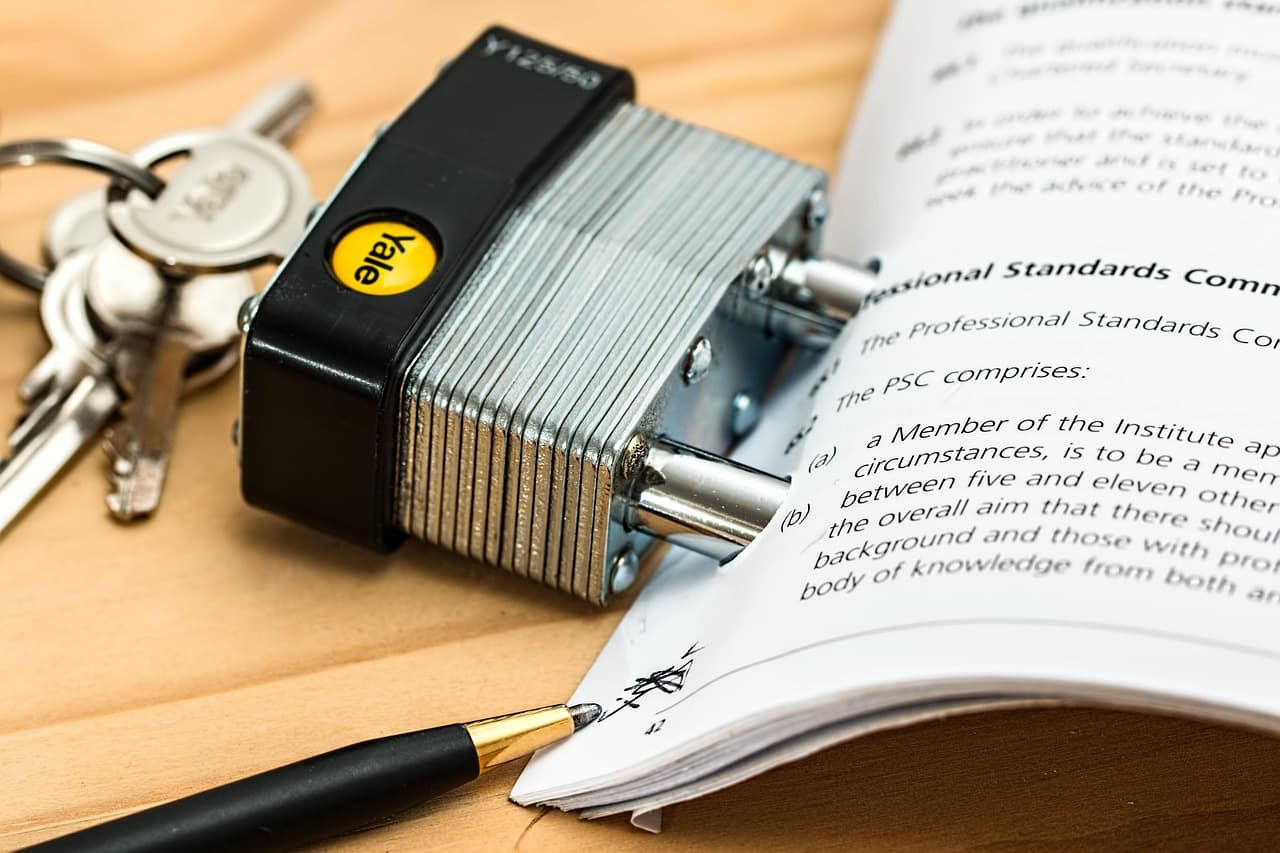
Mistakes that put client data at risk with AI
- Pasting a whole PDF when one paragraph answers the question. Every extra page is extra risk, and it is rarely needed.
- Assuming a paid plan removes every risk. Read what the plan says about training, retention, and logs before you use it on a matter.
- Testing a tool with a personal login on a live client file. A test should use a made-up fact pattern instead.
- Trusting a citation without pulling the case yourself. A confident citation in a chat window can still be wrong.
- Believing a summary is anonymous. A short fact pattern can point to a specific person, especially in a small town or niche practice.
- Keeping one long chat open across several matters. Start a fresh chat for each matter so facts do not carry over.
- Skipping the client conversation about AI use. Opinion 512 describes advance disclosure, so decide how you will handle it before the first upload.
What court decisions show about AI errors
Damien Charlotin's AI Hallucination Cases database listed 2,266 cases worldwide as of 5 November 2026. Of those, 1,535 came from US courts. The database tracks decisions that involve AI-generated errors. It is a monitoring list, not an official count.
Lawyer and pro se party counts in that database overlap, so do not add them together. For you, the lesson is about checking. A tool that writes a confident citation can still be wrong. Pull each case from a database you trust before you cite it.
Where Lazur fits, and where it does not
Lazur is a voice assistant for the Mac. Hold ⌥ ⌘ to ask about what is on screen, and Lazur answers out loud. Lazur listens and looks only while you hold the shortcut. Audio and the screenshot go to AI providers to answer, and they are not stored. Lazur's stated policy is that content is never used to train AI models.
That is still a transfer. If the screen shows privileged material, a client's name, or a draft you cannot share, a screenshot goes to a provider when you hold the shortcut. Check your firm's policy first. If your firm keeps client files off AI tools, do not hold the shortcut over them.
Lazur does not click buttons, edit files, or operate other apps for you. It points, explains, and guides you one click at a time. Dictation works differently. Hold fn to dictate clean text at the cursor in any app. Dictate internal notes with no client identifiers, and check how your firm treats voice data.
Lazur keeps a memory of what you asked and did, on your Mac. That helps when you want to find a past answer. It also means the Mac holds a record. Treat that record like any other file that may hold client context.
Limits of the evidence on AI and client data
No controlled study we found shows that a written policy, training, or an enterprise tier reduces client data leaks. The guidance here rests on the ABA opinion, vendor help pages, and survey data. Surveys measure what people report, not what they do with a tool on a busy afternoon.
Vendor terms and tool behavior change. Legal research tests from 2024 covered the tools of that period. Treat each number on this page as a snapshot from November 2026, and check its source before a decision depends on it.
Where to go next for your practice
If you draft in Word, read Microsoft Word for lawyers on Mac. For Outlook, see Outlook for lawyers on Mac. To see how Lazur handles Word, read AI assistant for Word on Mac. Your firm's rules on client data come first, in every app.
Faster with Lazur
Where Lazur helps with client data privacy when using ai
Hold ⌥ ⌘ and say what you want. Lazur sees your Word window. Lazur draws a circle and a label around the button or menu you need.
- 1
Hold ⌥⌘ and talk
- 2
Lazur draws a circle and a label around the button or menu you need.
- 3
You stay in Word. Nothing to copy into a chat window.
More things to say in Word
- “Where is the Apple Intelligence Report on this Mac?”
- “Walk me through turning off training in my Claude settings.”
- “What does Private Cloud Compute mean for this request?”
- “Hold fn and dictate a note for my matter file.”
- “Draft a short AI use notice for my engagement letter.”
- “Find my state bar's guidance on AI and client confidentiality.”
Free for 3 days, then $18/month. Download for Mac
You say“Where is the Apple Intelligence Report on this Mac?”
Lazur · points at itLazur circles the Apple Intelligence Report row and labels it. You open it and pick the time range yourself.
What lawyers say to Lazur for this
Each one is a single hold of ⌥ ⌘.
“Where is the Apple Intelligence Report on this Mac?”
Lazur circles the Apple Intelligence Report row and labels it. You open it and pick the time range yourself.
Points at it
“Walk me through turning off training in my Claude settings.”
Lazur guides you one click at a time and waits for each click. It does not click for you.
Walks you through it
“What does Private Cloud Compute mean for this request?”
Lazur explains the answer out loud from what is on screen. Check the explanation against Apple's help page before you rely on it.
Explains what's on screen
“Hold fn and dictate a note for my matter file.”
Dictation types clean text at the cursor in any app. Keep client names out of notes that leave your firm.
Types what you say
“Draft a short AI use notice for my engagement letter.”
Lazur drafts text you can edit. It does not know your state rules unless you tell it, so review the draft against your bar's guidance.
Drafts it
“Find my state bar's guidance on AI and client confidentiality.”
Research runs in Lazur's own Chrome tabs and comes back with a summary and a report. Open each source yourself before you rely on it.
Researches in the background
“Remind me Friday to review our firm's AI policy.”
Lazur adds the reminder to Apple Reminders by voice.
Handles the small stuff
A plan you can start this week
- Day 1
Find your firm's AI rule
Ask your firm for its written AI policy and its list of approved tools. If none exists, write down the questions to take to IT or the managing partner. Note which accounts staff use for AI today. Keep it short, because this sets the rules for everything else.
- Day 2
List where client facts already went
Open the account menu in each AI app you used this month. Note any personal login. Then open System Settings > Privacy & Security > Apple Intelligence Report and review the last 7 days. Write down what you find without judging yourself.
- Day 3
Switch to approved sign-ins
Sign in to the approved tools with your work account. If your firm asks, remove personal logins from work browsers. In Chrome, open Chrome > Settings > Privacy and security and review site permissions for any AI site you use.
- Day 4
Build a redaction habit
Keep a plain text file with placeholders such as Client and Landlord. Paste only the facts the question needs. Trim email threads in Apple Mail before you copy them. Use ⇧ ⌘ 4 to capture only the part of the screen you need.
- Day 5
Log and review the week
Write a one-line log entry for each AI task this week. Note the tool, the account type, and whether any output went into client work. Bring the log to your next team meeting, or to your own review if you practice alone.
Questions people ask
Is it safe to paste client information into ChatGPT or Claude?
It depends on the account, the plan, and your firm's rules. Personal accounts can carry training defaults and different retention. Work plans say prompts are not used for training, but logs and retention still apply. Follow your employer's rules on client data first, because they decide the answer for your job.
Does ABA Formal Opinion 512 require client consent every time?
The Maine State Bar summary says lawyers must inform clients in advance and get informed consent before inputting information about the representation into self-learning tools. Sources differ on how far that goes. Read your state's rules and your engagement terms before you decide how to handle it.
Does a Microsoft 365 work account protect client data?
Microsoft says prompts and responses in Microsoft 365 Copilot Chat are not used to train foundation models. Enterprise data protection applies when you sign in with a work or school account. Prompts are still logged, and IT admins can review them. Microsoft's page does not say whether protection covers personal accounts or the Mac app.
Does Apple Intelligence send my client files to Apple?
Many Apple Intelligence tasks run entirely on device. When a request goes to Private Cloud Compute, Apple says the data is used only to fulfill the request and is not stored or made accessible to Apple. You can review those requests in the Apple Intelligence Report. Your firm still decides whether a tool is allowed.
How do I find out whether my state bar has AI rules?
Start with your state bar's website and its ethics opinions. This page did not review each state's guidance, so check yours directly. Search the site for generative AI and confidentiality. If your firm has ethics counsel, ask them to confirm the answer in writing.
Does Lazur send my screen to AI providers?
Yes, but only while you hold ⌥ ⌘. Lazur listens and looks only during that hold. Audio and the screenshot go to AI providers to answer, and they are not stored, according to Lazur's stated policy. If the screen holds privileged material, do not hold the shortcut unless your firm allows it.
Is a redacted prompt still client information?
It can be. A short fact pattern can point to one person, especially in a small town or a niche practice. Remove details that identify the client, including exact dates, places, and job titles, unless the question needs them.
Can I use AI for legal research at all?
Yes, with checks. Tools change from year to year, so run your own test before you trust one for a matter. Check every citation in the source database before you rely on it or file it.
What should a solo lawyer do first?
Start with the Day 1 and Day 2 steps on this page. Write a one-page AI rule, pick one approved account, and build a redaction habit. Surveys show 57% of solo practitioners have no AI policy, so a written rule is a real gap to close.
Sources
- ABA Tech Survey Finds Growing Adoption of AI in Legal Practice, with Efficiency Gains as Primary Driver · LawNext · checked 2026-11-07
- By The Numbers: What Surveys Show About Law Firm AI Adoption · North Carolina Bar Association · checked 2026-11-07
- The ABA's Stance on AI: Formal Opinion 512 · Maine State Bar Association · checked 2026-11-07
- Hallucination-Free? Assessing the Reliability of Leading AI Legal Research Tools · arXiv · checked 2026-11-07
- AI Hallucination Cases database · Damien Charlotin · checked 2026-11-07
- Cyberhaven blog on AI data risk · Cyberhaven · checked 2026-11-07
- AI-Powered Lawyering (Schwarcz et al.) · University of Michigan Law School Repository · checked 2026-11-07
- Apple Intelligence and privacy on Mac · Apple Support · checked 2026-11-07
- Data protection when using Microsoft 365 Copilot Chat for work or school · Microsoft Support · checked 2026-11-07
- Getting started with Copilot on macOS · Microsoft Support · checked 2026-11-07
- Updates to Consumer Terms and Privacy Policy · Anthropic · checked 2026-11-07
- Data usage - Claude Code Docs · Anthropic · checked 2026-11-07
Fix client data privacy when using ai with Lazur, free for 3 days
Hold a key and ask. Lazur sees your screen, points at the button and talks you through it, in any Mac app. No credit card.