
Realtors · problem and fix
How to nurture past clients and sphere of influence on Mac: a weekly routine for realtors
To nurture past clients and sphere of influence on Mac, keep one clean contact list, give each person a next-touch date, and send short notes on a weekly schedule. You probably already have the names. The gap is the upkeep, and you can fix that with tools already on your Mac.
The short answer
- For the typical REALTOR in 2025, NAR reports 28% of business from repeat clients and 22% from referrals from past clients.
- A neglected list fails quietly. Nothing alerts you when a past client drifts away.
- Fix it in three layers: clean the contacts, run one working sheet, then send short notes on a schedule.
- Back up in Contacts before any merge. Use Card > Look for Duplicates, then review each pair.
- Lazur can guide the clicks and draft notes. It does not click or send for you.
What neglected past-client database costs you
Repeat and referral business
NAR's 2026 Member Profile says the typical REALTOR earned 28% of business from repeat clients and customers, and 22% from referrals from past clients. A neglected list puts that share at risk. You rarely lose it all at once. You lose the calls that would have come.
Cold starts again and again
Every new lead starts with a stranger. Every past client already knows your name and your work. A stale list makes you pay the cold-start cost again and again. No study found for this page puts a number on that, so treat it as a working idea.
Hours lost to rebuilding
A messy list forces you to rebuild it under pressure. You search old email, retype names, and guess at dates. No source found for this page measures that time in agent offices. Track your own time for a week to see what it costs you.
Life events that pass unused
Sale anniversaries, moves, new babies, and job changes are natural reasons to call. If the date is not on a list, the reason passes. The call you did not make is the cost. It never shows up on a report.
Stale contact details
Phone numbers and email addresses change. A bounced email or a dead number can end a relationship that was still alive. You may never see the bounce. Clean the list on a schedule, not after a loss.
Trust and reputation
A past client who gets a message with the wrong name, or a duplicate from two cards, will notice. Sloppy follow-up reads as careless. Clean data protects the way you look to people who already chose you.
Why it happens
New leads feel urgent, past clients do not
A new lead sends a message that needs an answer today. A past client sends nothing. Your inbox and phone point at the urgent work, so the quiet work waits. The list fades because it never asks for attention.
Most agents run the business alone
BLS reports that most real estate brokers and sales agents are self-employed. Self-employed workers make up 55% of brokers and 54% of sales agents. Many of them have no admin staff to keep a database clean. Upkeep falls to the one person with the least spare time.
Contacts live in too many places
Contacts pile up across your phone, Gmail, a CRM import, a spreadsheet from an old job, and a brokerage export. Each source adds duplicates. Two cards for one person split the history. You stop trusting either card and stop updating both.
Multiple accounts create copies
Apple's guide notes that cards from accounts such as Yahoo and Google can be linked instead of merged. When two accounts hold the same person, the cards multiply. An update on one account may never reach the copy in another.
No owner and no schedule
If nobody owns the list, it drifts. If no time is set, follow-up waits for a free afternoon that never arrives. The list needs a named owner and a fixed time each week.
Memory replaces records
Many agents keep past clients in their head. That works for a few names. It fails as the list grows. Memory cannot hold the sale dates, the personal details, and the do-not-contact requests for a long list.
How to fix it
These work with or without any app.
Back up your contacts first
Open Contacts. Choose File > Export > Contacts Archive to save every contact as an .abbu file. Or select people and choose File > Export > vCard to save a .vcf file. Check Contacts > Settings > vCard first, so notes and photos are included.
Merge duplicates with Look for Duplicates
Choose Card > Look for Duplicates in Contacts, review each pair, and click Merge. For pairs you spotted yourself, select them and choose Card > Merge Selected Cards. Apple says merging keeps all unique information in one card.
Link cards from different accounts
If a person has one card in a Yahoo account and one in a Google account, Apple's guide says you can link them instead of merging. Use linking when you want both accounts to stay as they are.
Build one working sheet
Create a Google Sheets tab with a short set of columns, starting with Name, Relationship, Last contact, and Next touch. Keep phone numbers in Contacts only. The sheet holds the schedule, and Contacts holds the details.
Filter by Next touch each week
In Google Sheets, select your header row and choose Data > Create a filter. Use the filter arrow on Next touch to show this week's dates. Clear the filter after each session so you can see the whole list again.
Write three reusable notes
Draft a sale-anniversary note, a short market update, and a check-in in Gmail. Keep each one to a few lines. Replace one detail each time, such as a street name or a shared memory from the Notes column. Save them as templates if your Gmail setup supports it.
Put the review on your calendar
Create a repeating event in Calendar at the same time each week. Title it Past client check-in. Use the event to clear the filter, send the notes, and move each Next touch date forward. A fixed slot beats a good intention.
Mark do-not-contact people
Add a clear marker in Notes for anyone who asked you to stop contact. Keep those rows off your send lists. Ask your brokerage how long records should be kept, since the rules can vary by role and location.
Why past clients slip off your radar
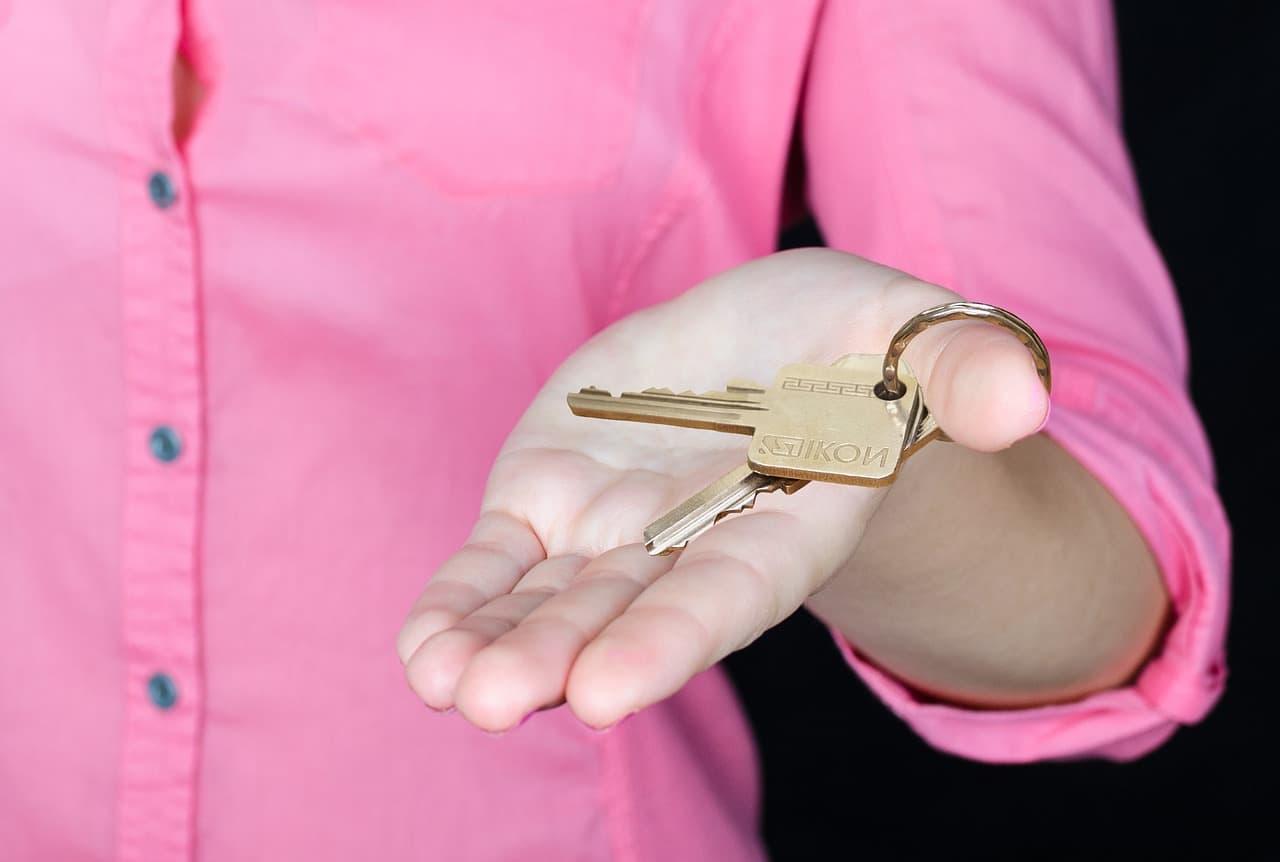
A closed deal ends the work on your calendar, but not in your client's life. The next lead lands in your inbox that same afternoon. The past client stays quiet. Nothing on your screen asks you to call them, so the relationship fades without a single decision.
The numbers show why this matters. The 2026 Member Profile from the National Association of REALTORS reports that the typical REALTOR earned 28% of business from repeat clients and customers. Another 22% came from referrals from past clients and customers. Both figures use 2025 data.
28%
Share of business from repeat clients and customers for the typical REALTOR, 2025 data
The Feature Sheet: 2026 Member Profile (NAR)22%
Share of business from referrals from past clients and customers, 2025 data
The Feature Sheet: 2026 Member Profile (NAR)54%
Share of sales agents who are self-employed, so often no admin staff
Real Estate Brokers and Sales Agents: Occupational Outlook Handbook (BLS)427,000
Sales agents employed in 2025, per the BLS outlook
Real Estate Brokers and Sales Agents: Occupational Outlook Handbook (BLS)Those shares describe the typical agent, not you. They do not say how many past clients an agent keeps in touch with. They also do not measure the time that upkeep takes. Use them as a reason to check your own numbers, not as a forecast.
What the income figures do and do not show
NAR also reports median gross real estate income by years in the business. The gap between groups is wide. Read the table as a pattern, not as a plan.
| Group | Median gross income, 2025 |
|---|---|
| All REALTORS | $59,200 |
| 16 or more years of experience | $88,500 |
| Two years of experience or less | $8,000 |
A longer career brings more past clients to call. That is one reason the gap may exist. Experience brings other advantages too, and this data does not separate them. A database cannot explain the whole gap. It is one part you can control right now.
Build one list you can trust

Start with what you already have. Many agents keep contacts in more than one place. You might have Apple Contacts on your Mac, a Gmail list, a CRM export, and an old spreadsheet from a previous job. Pick one master for each kind of detail.
Use Contacts as the master for names, phone numbers, and addresses, since it already lives on your Mac. Use Google Sheets as the working list for dates, notes, and next steps. The sheet tells you who to call next. Contacts holds the details.
Merge duplicates in Contacts
Open Contacts and choose Card > Look for Duplicates. Review each pair, then click Merge. Apple says merging keeps all unique information in one card. Still, read each pair before you accept it, since two different people can share a name.
For cards you spotted yourself, select them first. Then choose Card > Merge Selected Cards. This works well when a past client changed a work email after a sale, and you have two cards for the same person.
Watch for cards from different accounts. Apple's guide says you can link cards from accounts such as Yahoo and Google instead of merging them. Linking is the better choice when you want both accounts left alone.
Back up before you change anything
Choose File > Export > vCard to save selected people as a .vcf file. Choose File > Export > Contacts Archive to save every contact as an .abbu file, with no selection needed. Check Contacts > Settings > vCard first. Unchecking Export notes or Export photos leaves those fields out.
Apple's page does not say whether those vCard settings also apply to Contacts Archive files. Test the archive by checking a few cards that have notes and photos before you rely on it.
Turn the list into a weekly working sheet
Make one tab in Google Sheets and keep it plain. Each row is one person. Each column answers one question you ask every week. The columns below work for most realtors, and you can change them later.
- Name: spelled the same way as in Contacts.
- Relationship: past client, sphere, referral partner, or lender.
- Last contact: the date of your last real conversation, not a mass email.
- Next touch: the date you want to reach out next.
- Personal detail: only what the person shared with you, such as a school event or a trip.
- Notes: one line on what they asked for or said they liked.
The Next touch column does most of the work. Filter it so only this week's names show. In Google Sheets, select your header row and choose Data > Create a filter. Our guide to adding a filter walks through each click.
Duplicates in the sheet fool you just as badly as duplicates in Contacts. Clear them first with our guide to removing duplicate rows. Then sort with our guide to sorting by column, so the earliest due dates sit on top.
A worked example
Say a family closed on a house a few years ago. Their Last contact cell is blank. You set the closing anniversary as their Next touch date. When that week arrives, the row appears in your filter. You send a short note, then type today's date into Last contact.
The row then drops out of the week's view. It returns when its next date comes up. That loop is the whole system: a date, a filter, a note, and a fresh date.
Write notes past clients are glad to get
A past client does not need a weekly newsletter from you. They need a short message that sounds like you. Keep it to a few sentences. Mention one thing you know about them. Ask one question they can answer in a line.
Write three templates in Gmail: a sale anniversary note, a short local market update, and a simple check-in. Replace one detail each time, such as the street or a shared memory from the Notes column. A template that reads like a form gets skimmed. See our Gmail guide for realtors for more setup ideas.
If you send a market update with a graphic, build it in Canva first, then attach it to the Gmail note. Our Canva guide for realtors covers flyers and postcards. Keep the graphic simple, so the message still reads like a note from you.

Before any bulk send, check your brokerage's rules on client data and marketing email. Your brokerage may set rules for how contact data is stored and used. Follow those rules, not a guess from this page.
Mistakes that keep the list dead
- Two masters. When Contacts and the sheet disagree, nobody trusts either one.
- Logging closings only. A list with no conversations gives you no reason to call.
- Mass blasts with no personal line. Readers tend to skim a message that could go to anyone.
- Deleting old contacts instead of archiving them. Export first, then remove.
- Waiting for a perfect list. A list that is mostly clean still gets used.
- Skipping the weekly review. A list stays dead without a set time on the calendar.
Clients who asked not to be contacted need a clear marker. Write it in the Notes column, and keep those rows out of any filter that feeds a send. Ask your brokerage how long to keep those records, since rules differ.
People who are not clients belong on the sheet too. Lenders and referral partners often matter to your business. Mark them in the Relationship column so they do not crowd out your client filter.
If you work on a team, decide who owns the master list before you clean it. Two people editing two masters creates the same mess again within weeks. Write the owner's name at the top of the sheet.
Start with one cleanup this week
Do not start with the whole system at once. Export a backup, run Look for Duplicates, and merge only the pairs you have checked. Then build the sheet with a short set of columns and a Next touch date for each person.
After that, run the weekly loop: filter, write, send, update. The first month will feel slow. The routine gets easier once the list stops fighting you.
Faster with Lazur
Where Lazur helps with neglected past-client database
Hold ⌥ ⌘ and say what you want. Lazur sees your Gmail window. Lazur draws a circle and a label around the button or menu you need.
- 1
Hold ⌥⌘ and talk
- 2
Lazur draws a circle and a label around the button or menu you need.
- 3
You stay in Gmail. Nothing to copy into a chat window.
More things to say in Gmail
- “Walk me through merging duplicates in Contacts, one click at a time.”
- “Where is Merge Selected Cards?”
- “Hold fn and dictate a check-in note for a past client.”
- “Draft a short sale-anniversary note for a family I worked with.”
- “Remind me every Friday morning to run my past client check-in.”
- “Research what rules apply to marketing email for my brokerage.”
Free for 3 days, then $18/month. Download for Mac
You say“Where is Merge Selected Cards?”
Lazur · points at itLazur draws a circle and a label around the menu item on your screen. You click it yourself.
What realtors say to Lazur for this
Each one is a single hold of ⌥ ⌘.
“Walk me through merging duplicates in Contacts, one click at a time.”
Lazur guides you one click at a time and waits for each click. You do the clicking, so you see every change.
Walks you through it
“Where is Merge Selected Cards?”
Lazur draws a circle and a label around the menu item on your screen, so you can find it fast.
Points at it
“Hold fn and dictate a check-in note for a past client.”
Hold fn to dictate clean text at the cursor in any app. Read the text before you send it.
Types what you say
“Draft a short sale-anniversary note for a family I worked with.”
Lazur drafts and types text. You read it, change what needs changing, and send it yourself.
Drafts it
“Remind me every Friday morning to run my past client check-in.”
Lazur can set an Apple Reminders item by voice, so the weekly review shows up on time.
Handles the small stuff
“Research what rules apply to marketing email for my brokerage.”
Research runs in Lazur's own Chrome tabs and returns a summary and a report. Confirm anything it finds with your brokerage.
Researches in the background
A plan you can start this week
- Monday
Back up and clean Contacts
Export a backup with File > Export > Contacts Archive. Then run Card > Look for Duplicates and merge only the pairs you have checked. Stop when the list looks right, even if it is not perfect.
- Tuesday
Build the working sheet
Make one Google Sheets tab with the columns from this page. Add every past client and sphere name from Contacts. Fill in Last contact where you know the date. Leave the rest blank for now.
- Wednesday
Set Next touch dates
For each row, pick the next date you want to reach out. Use closing anniversaries where you know them. Filter the sheet to see only this week's names.
- Thursday
Write three notes
Draft a sale-anniversary note, a market update, and a check-in in Gmail. Keep each one short. Mark any do-not-contact names before you schedule anything.
- Friday
Send a small batch
Send a few personal notes from the filtered list. Update Last contact and move each Next touch date forward. Put a repeating review on Calendar for the same time each week.
- Weekly
Keep the review
Each week, clear the filter, work the names that are due, and check for new duplicates from any import. A short sitting is enough for most weeks.
Questions people ask
Is a sphere of influence the same as past clients?
Not exactly. Past clients are people you have closed with. Your sphere of influence is wider. It includes friends, family, neighbors, lenders, and referral partners. Track both in one sheet, with a Relationship column, so you can filter each group.
Where do I find duplicate contacts on a Mac?
Open Contacts and choose Card > Look for Duplicates. Review each pair, then click Merge. For specific cards, select them and choose Card > Merge Selected Cards. For cards from different accounts, Apple suggests linking them instead.
Should Contacts or Google Sheets be the master list?
Use both, with a clear job for each. Contacts holds names, phone numbers, and addresses. The sheet holds dates, notes, and next steps. Put each detail in one place only, so you never have to guess which copy is right.
How often should I reach out to past clients?
This page does not give a source-backed rule. Pick a rhythm you can keep, then let the Next touch column drive it. A modest schedule you keep beats an ambitious one you skip.
Can Lazur send these notes for me?
No. Lazur drafts and types text, and it guides you through steps. It does not click send or operate other apps for you. You read each note and send it yourself.
Do I need a paid CRM to do this?
No. The routine on this page works with Contacts, Gmail, and Google Sheets. A CRM can add reminders and history, but it does not fix a list that nobody owns. Check which tools your brokerage already provides before you buy anything.
What if a past client asks me to stop contacting them?
Stop. Mark the row so it stays off every send list. Keep the record only as long as your brokerage's rules allow. Your brokerage can tell you what applies in your state and to your role.
Does merging contacts delete any information?
Apple says merging keeps all unique information in one card. Still, read each pair before you accept it. Export a backup before any large cleanup, so you can recover a card if a merge goes wrong.
Is this routine only for buyers and sellers?
No. The same routine works for rentals, referrals, and sphere contacts. Use the Relationship column to group people, then keep the same weekly loop for each group.
Sources
- The Feature Sheet: 2026 Member Profile · National Association of REALTORS® · checked 2026-11-07
- Real Estate Brokers and Sales Agents: Occupational Outlook Handbook · U.S. Bureau of Labor Statistics · checked 2026-11-07
- Merge contact cards in Contacts on Mac · Apple Support · checked 2026-11-07
- Export or archive contacts in Contacts on Mac · Apple Support · checked 2026-11-07
Fix neglected past-client database with Lazur, free for 3 days
Hold a key and ask. Lazur sees your screen, points at the button and talks you through it, in any Mac app. No credit card.