
Lazur for teachers
AI assistant for teachers Mac: cut admin, email and grading time in 2026
Lazur is an AI assistant for teachers on Mac that works in whatever app you have open. Hold ⌥ ⌘, ask a question about your screen, and it answers out loud. This page covers the admin that fills a teacher's evenings: parent email, grading comments, planning and reminders. It also covers the limits, because your school's rules come before any tool.
You say“Lazur, draft a reply to this parent. Say Maya can hand in the essay by Monday with no penalty.”
Lazur · drafts itLazur drafts the reply in the open Gmail window. You read each line, change what needs changing, and send it yourself.
Draft at your cursor
Subject: Re: Maya's essay Hi Ms. Lee, Thanks for your message. Maya can hand the essay in by Monday with no late penalty this time. If that date does not work for your family, reply and we will find another day. Best, [Your name]
Quick answer
- A 2022 EdWeek survey puts the median teacher at 3 hours a week on general administration, 5 on grading and 5 on planning.
- Lazur looks at your screen only while you hold ⌥ ⌘ or fn. It answers out loud, or types at your cursor when you dictate.
- Lazur drafts replies, comments and outlines. It does not click buttons or send email for you. You check and send.
- Check your school's rules before you put student names, grades or records into any AI tool.
- Log your own email and grading minutes for three ordinary days before you decide how much time an assistant saves you.
3 hours
median weekly time teachers report on general administrative work, 2022 survey
How Teachers Spend Their Time: A Breakdown54 hours
typical total hours a week teachers report working, self-reported, about half spent teaching students
Here's How Many Hours a Week Teachers Work5.9 hours
weekly time saved, as estimated by teachers who use AI every week, 2025 Walton and Gallup survey
The AI Dividend: New Survey Shows AI Is Helping Teachers Reclaim Valuable TimeWhere the day goes for teachers
Email that never closes
Parent and colleague messages arrive at night and on weekends. EdWeek lists answering emails among tasks that add to teachers' hours, including evening and weekend replies.
Grading piles up
EdWeek reports a median of 5 hours a week on grading and feedback. In Google Classroom, grading is set up on a computer, and a new term needs a new class.
Planning gets squeezed
Teachers report a median of 5 hours a week on planning or preparing. That work often gets pushed into the gaps between other jobs.
Admin keeps growing
AITSL says more than half of primary and secondary classroom teachers spend 5 or more hours a week on general administration. That time rose between 2021 and 2023.
Tools change under you
A university IT notice says Legacy Outlook for Mac was set to stop working on October 1, 2026. Teams and Outlook builds keep changing, so check your version.
A teacher's day with Lazur
Real things to say. Each one is a single hold of ⌥ ⌘.
- 06:40
“Lazur, remind me to check the quiz scores at lunch.”
Lazur adds a timed item in Apple Reminders. It shows on your Mac, and on other devices if iCloud sync is on.
Handles the small stuff
- 07:05
“Lazur, draft a reply to this parent. Say Maya can hand in the essay on Monday.”
Lazur drafts the reply in the open Gmail window. You read it, fix the greeting, and send it yourself.
Drafts it
- 08:20
“Lazur, what is on my calendar today?”
Lazur reads your Calendar events aloud, so you know about meetings before first period.
Handles the small stuff
- 10:45
“Lazur, where is the grading setting in Classroom?”
Lazur circles the grading area on screen and adds a label, so you find it without hunting.
Points at it
- 12:30
“Hold fn and say: good structure, add a source for the rainfall claim.”
Fn types clean text at the cursor in the feedback box. You check spelling and names afterward.
Types what you say
- 15:30
“Lazur, find three free articles on the water cycle and summarize each one.”
Lazur runs the search in its own Chrome tabs and returns a summary and report. You open each source before you use it.
Researches in the background
- 17:15
“Lazur, explain what Weighted by category does before I change it.”
Lazur explains the option out loud while the setting is on screen. You make the change yourself.
Explains what's on screen
Where a teacher's week actually goes
Teaching students is only part of the week. In a 2022 EdWeek Research Center survey of more than 1,300 teachers, the typical teacher worked about 54 hours a week. Just under half of that was spent teaching students. The rest includes planning, grading, admin and messages. These hours are self-reported, so treat them as a rough picture, not a time log.
The same survey gives a median for each task. Teachers report 3 hours a week on general administrative work, 5 hours on grading and feedback, and 5 hours on planning or preparing. A median sits in the middle of the group. It says nothing about the teacher who loses a whole weekend to report comments.
3 hours
median weekly time teachers report on general administrative work, 2022 survey
How Teachers Spend Their Time: A Breakdown54 hours
typical total hours a week teachers report working, self-reported, about half spent teaching students
Here's How Many Hours a Week Teachers Work5.9 hours
weekly time saved, as estimated by teachers who use AI every week, 2025 Walton and Gallup survey
The AI Dividend: New Survey Shows AI Is Helping Teachers Reclaim Valuable TimeHow much of it is admin, and how much is email
Australian data shows the same pattern from another angle. The Australian Institute for Teaching and School Leadership (AITSL) found that 18% of primary and 20% of secondary full-time classroom teachers spend 10 or more hours a week on general administrative work, in its 2023 survey. AITSL also says more than half of teachers in both groups spend 5 or more hours a week on that work. That time grew between 2021 and 2023.
Email has no study of its own. The closest measures are the admin figures above and a parent communication item. EdWeek reports that teachers spend 2 hours a week communicating with parents or guardians. The same article lists answering emails among the tasks that add to a teacher's hours, including evening and weekend replies. Read that as a pattern, not a count of your inbox.
| Task | Reported time (2022 survey) | Where Lazur helps |
|---|---|---|
| General administration | 3 hours a week, median | Drafts replies, notes and reminders for you to check |
| Grading and feedback | 5 hours a week, median | Writes comment drafts you can dictate with fn |
| Planning or preparing | 5 hours a week, median | Runs research in its own Chrome tabs, drafts outlines |
| Parent communication | 2 hours a week | Drafts messages in Gmail or Outlook for your review |
A table is a starting point, not your schedule. Use a notepad for three ordinary days. Write down each block of email, grading and planning minutes. That log is the number that matters when you decide what to hand off.
What AI time savings numbers actually mean
The Walton Family Foundation and Gallup published an AI survey of teachers in June 2025. Teachers who use AI every week estimate they save 5.9 hours a week. Monthly users estimate 2.9 hours. Most often, teachers credit AI with time on worksheets or assessments, administrative work and lesson preparation.
Read those numbers carefully. They are estimates, not timed tests. The page does not state a sample size or field dates, so treat the figure as a rough signal. The same report says only 19% of teachers say their school has an AI policy. That gap matters more than the hours.
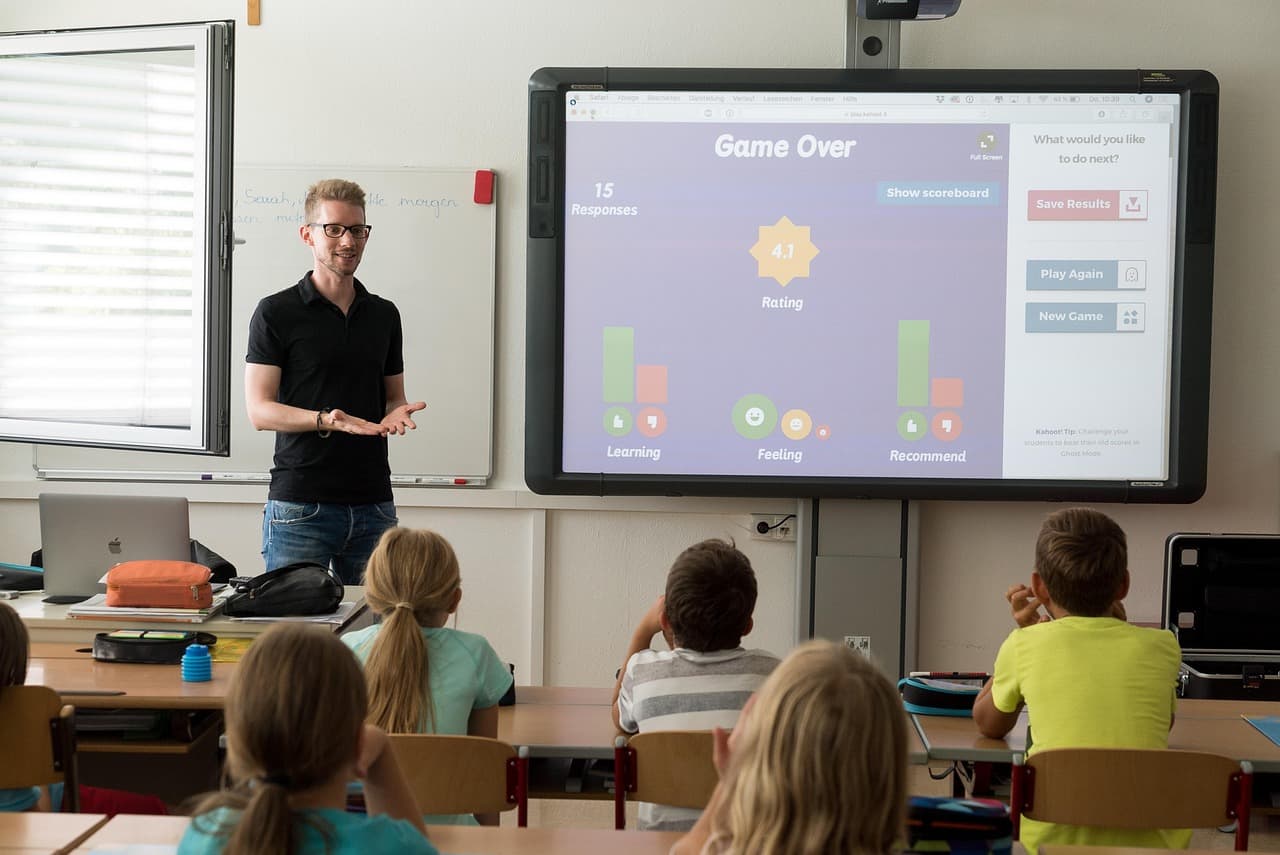
Teacher email on Mac: drafting replies by voice
Where email time goes
Most teacher email repeats itself. Parents ask about due dates, late work, permission slips, meeting times and grades. Colleagues ask for files, room bookings and cover. You already know how to answer these. The slow part is finding the right words late at night.
A worked example: a late essay
Say a parent asks why their child's essay was marked late. Open the thread in Gmail and click Reply. Hold ⌥ ⌘ and say what the reply should do. For example: say the essay can be handed in by Monday with no penalty this time, and ask them to reply if that date does not work. Lazur drafts the text in the reply box. You read every line, change the greeting, and send it yourself. The Gmail page covers the setup in more detail.
- Sending a draft without reading the dates. Check every date against your calendar first.
- Pasting full student names, grades or health details into a chat. Use initials, or describe the case without names.
- Replying late at night and sending right away. Use the arrow beside Send > Schedule send if your Gmail shows it.
- Answering a long thread line by line. Ask Lazur to summarize the thread, then reply once.
Grading and feedback without the late nights
Grading takes a median 5 hours a week in the EdWeek data. Some of that time is setup work. In Google Classroom, grading is set up on a computer, in the web version of Classroom. You choose one of three grading systems: Total points, Weighted by category, or No overall grade.
If you pick Weighted by category, the categories must total 100%. Grading is set per class, and a new term needs a new class. Set up grading before the first assignment goes out, not two weeks later.
Ask Lazur to guide you. Hold ⌥ ⌘ and say: walk me through weighted grading in Google Classroom. Lazur guides you one click at a time and waits for each click before it moves on. You stay in control of the screen, which matters when a class is open.
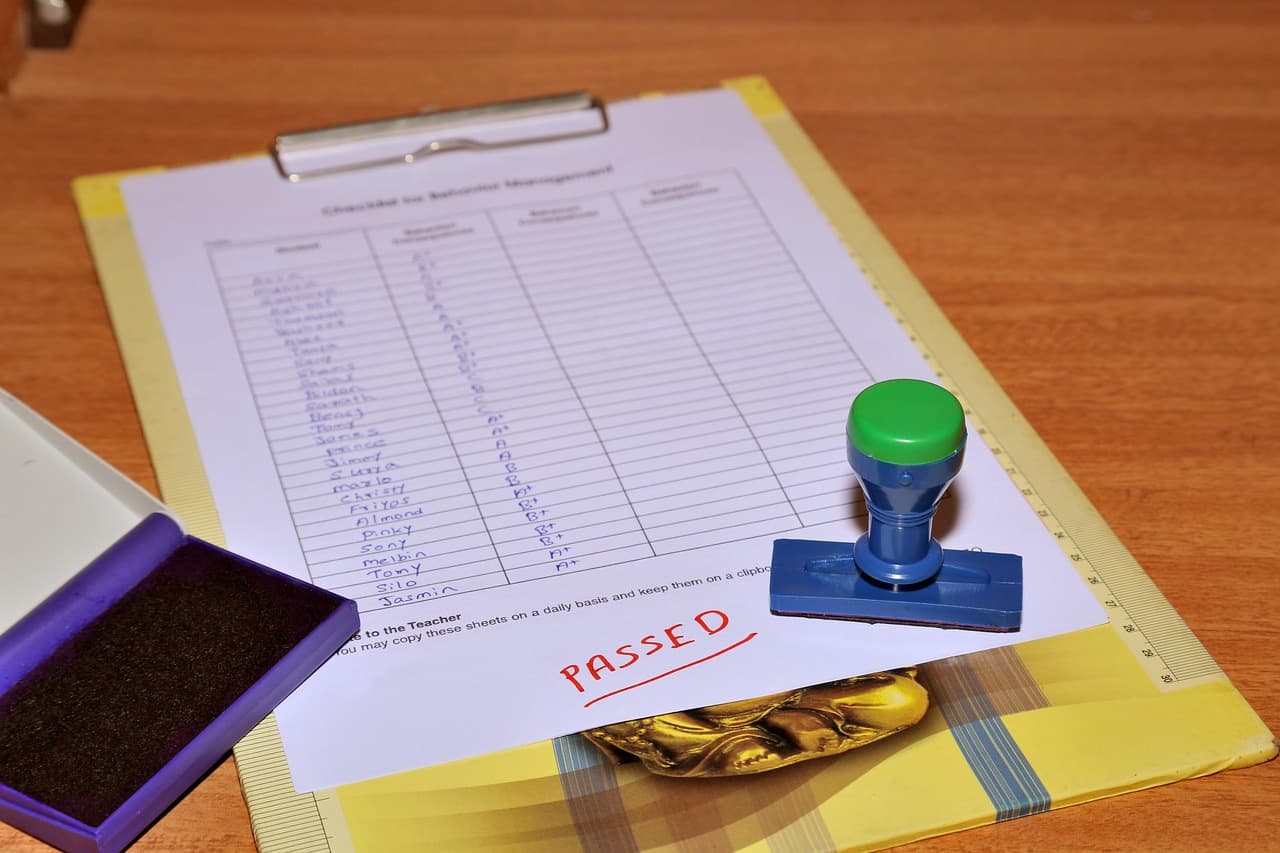
Feedback comments you can say out loud
Hold fn and speak a comment. Lazur dictates clean text at your cursor, in any app. Say the sentence as you would say it to the student. For example: good structure, and your second paragraph needs a source for the claim about rainfall. Then read it back before you save.
Dictation is quick, but it hears what you say. Speak in full sentences and fix names afterward. Add words the app keeps misspelling to your personal dictionary, such as school program names or unusual spellings.
Lesson planning and research in the background
Planning takes a median 5 hours a week in the EdWeek data. Lazur's research jobs run in Lazur's own Chrome tabs. They come back with a summary and a report. Ask for something bounded, such as three free articles on the water cycle, each summarized in one paragraph with its link.
Open each link before you use it. Research summaries can miss context or get a fact wrong. Your name goes on the lesson, so you check the sources.
Apple's Classroom app on Mac
Apple's Classroom app is free for iPad and Mac. It lets you open specific apps or web pages on student devices, share files, show student work through Apple TV, and see which apps students use. Apple's What's new page lists Classroom 2.7 for Mac as the latest release, but that page is dated June 2024. Check the App Store for the current version. Lazur does not run Classroom for you. It can explain a setting or guide you through one.
Setting up Lazur on your Mac
- Download Lazur from the download page, then open it from Applications.
- Start the trial. It starts when you first open the app, and no credit card is needed.
- Allow the microphone and screen access that macOS asks for. Lazur only listens and looks while you hold the shortcut.
- Hold ⌥ ⌘ and ask a test question, such as where the search box is on this page.
- Hold fn and dictate one sentence into a note. Then add two school terms to your personal dictionary.
- Create a snippet for your standard sign-off to parents, so you do not retype it.
Lazur runs on Macs with Apple silicon and on Intel Macs. Windows is planned, not available. If your school manages your Mac, ask IT whether you can install apps before you start.
Privacy, student data and school rules
Lazur listens and looks at your screen only while you hold the shortcut. Audio and the screenshot go to AI providers so they can answer, and they are not stored. Lazur content is never used to train AI models. Those are Lazur's rules for its own service.
They are not a school approval. This page does not claim any compliance certification for classrooms. Your school or district decides which tools staff can use with student information. Check that before you paste anything with a name, a grade or a support plan into a chat.

If your school has no AI policy, ask your principal or IT for one before the next parent conference. Ask what they allow for drafting, what they forbid, and who answers questions about it.
Mistakes teachers make with AI at work
- Trusting a draft's dates or facts. Text can sound sure when it is wrong.
- Using AI to decide a grade. Use it for words, then make the call yourself.
- Handing a hard parent conversation to a draft. Use the draft for structure, then write the hard lines in your own voice.
- Assuming a national survey describes your week. Your own log beats any median.
- Missing an app change. Check your Outlook version before a deadline forces the switch.
Outlook for Mac and new Teams: check your version
If your school uses Outlook for Mac, check which version you run. A university IT notice says Legacy Outlook for Mac will stop working on October 1, 2026. It also says the connection protocol that version uses is being retired. That date has already passed, so if you still open Legacy Outlook, ask IT today what to switch to.
Microsoft's release notes list Outlook for Mac 16.114.3, dated October 27, 2026, with quality and performance fixes only. Open Outlook > About Outlook to read your build. Microsoft Teams new client builds are rolling out through late October 2026, so your school may get an update on a different day than a colleague.
What to do next
Start with one task this week, not the whole day. Pick the parent email you dread most, or the grading setup you keep postponing. Run it once with Lazur, read the result, and decide whether it saved you time.
Lazur has a free trial with no credit card. Plans and AI action limits are on the pricing page. Dictation is unlimited on both plans. When you are ready, download Lazur for Mac.
The apps teachers use it in
Questions people ask
Is Lazur an AI assistant for teachers on Mac?
Lazur is a voice assistant for Mac. It works in whatever app you have open, including Gmail, Google Docs and Pages. Hold ⌥ ⌘ to ask about your screen, and it answers out loud. Windows is planned, but it is not available yet.
Does Lazur work with Google Classroom and Microsoft Teams?
Lazur works with what is on your screen, so it can help while you use Google Classroom or Teams in a browser or app. It is not a plugin or add-in for either product, and it has no partnership with either company. It explains and guides, but you make the changes.
Can Lazur send emails or click buttons for me?
No. Lazur drafts and types text, and it guides you one click at a time. It does not click buttons or operate other apps for you. You read every draft and send it yourself.
Is student data safe with Lazur?
Lazur listens and looks only while you hold the shortcut. Audio and the screenshot go to AI providers to answer, and they are not stored. Content is never used to train AI models. That is not a school approval, so check your district's rules before you use student information.
How much time will Lazur save a teacher?
No one can promise a number. Teachers in a 2025 Walton and Gallup survey estimated 5.9 hours a week saved, and that figure is self-reported. Log your own email and grading minutes for three days, then compare again after two weeks.
What is the difference between holding ⌥ ⌘ and holding fn?
Hold ⌥ ⌘ when you want an answer out loud about something on screen, or a step-by-step guide. Hold fn when you want to dictate clean text at your cursor in any app. Dictation is unlimited on both plans.
Does Lazur work on Intel Macs?
Yes. Lazur runs on Macs with Apple silicon and on Intel Macs. Check the download page for the current requirements before you install.
Is there a free trial?
Yes. The trial needs no credit card, and it starts when you first open the app. Plans and AI action limits are on the pricing page.
Can Lazur grade my students' work?
It should not decide grades. Lazur can help you word feedback, explain a grading setting or outline a rubric. The grade is your call, under your school's grading policy.
Should I use Lazur with Outlook or Gmail?
Either works, because Lazur reads what is on your screen. Check which Outlook you run first. Legacy Outlook for Mac was set to stop working on October 1, 2026, according to a university IT notice.
Sources
- AITSL In Brief - Teacher duties · Australian Institute for Teaching and School Leadership · checked 2026-11-06
- How Teachers Spend Their Time: A Breakdown · EdWeek · checked 2026-11-06
- Here's How Many Hours a Week Teachers Work · EdWeek · checked 2026-11-06
- The AI Dividend: New Survey Shows AI Is Helping Teachers Reclaim Valuable Time · Walton Family Foundation · checked 2026-11-06
- Set up grading - Classroom Help · Google Support · checked 2026-11-06
- What's new in Classroom? · Apple Support · checked 2026-11-06
- SMU ITConnect: Microsoft to Discontinue Legacy Outlook for Mac in October · Southern Methodist University ITConnect · checked 2026-11-06
- Release notes for Office for Mac · Microsoft Learn · checked 2026-11-06
Lazur for teachers: free for 3 days
Hold a key and ask. Lazur sees your screen, points at the button and talks you through it, in any Mac app. No credit card.