
Figma · for interior designers
Figma for interior designers on Mac: floor plans, mood boards and voice help with Lazur
Figma for interior designers on Mac is mostly file setup and sorting, and the drawing is the smaller part. Use one file per client, one frame per room, and the Scale tool (K) for furniture. Lazur, a voice assistant that lives in the notch, answers out loud when you get stuck.
You say“Where is the Scale tool?”
Lazur · points at itLazur circles the Scale tool on Figma's toolbar and labels it. Press K, then drag a corner of the selected frame to resize it.
Quick answer
- Use one Figma file per client, one page per phase and one frame per room.
- Press K for the Scale tool when you need furniture or renders in proportion.
- Use variants to compare fabrics, finishes and lighting setups in one place.
- Unsynced offline changes expire after 30 days, or after 7 days in Safari.
- If a big file feels slow, check that your desktop app is version 125.5.6 or later.
89%
of designers say they are working faster, from Figma's 2026 State of the Designer survey of 906 designers
State of the Designer 2026: Designers Are Leaning Into the Messy Middle84%
of designers work with developers at least weekly, per Figma's 2025 designer and developer trends report
Designer and Developer 2025 Trends30 days
how long unsynced offline changes stay before they expire in Figma
What can I do offline in Figma?91%
of designers say new AI tools improve their designs, from the same 2026 report
State of the Designer 2026: Designers Are Leaning Into the Messy MiddleWhat interior designers ask Lazur in Figma
Hold ⌥ ⌘ in Figma and say it.
“Where is the Scale tool on this toolbar?”
Lazur circles the tool and labels it, so you find K without hunting.
Points at it · Figma
“Walk me through making a variant set for these fabric swatches.”
Lazur guides you one click at a time, waiting for each click, through combining the frames as variants.
Walks you through it · Figma
“Why does this frame stretch when I add a row?”
Lazur explains the auto layout setting that makes the frame resize with its contents.
Explains what's on screen · Figma
“Draft a short note to the supplier about the oak finish.”
Lazur types a short, polite note you can edit before you send it.
Drafts it · Figma
“Dictate a note on the hall lighting for this frame.”
Hold fn and speak. Clean text lands at the cursor in any app, ready to paste into a label.
Types what you say · Figma
“Find the current lead time for oak flooring in the UK.”
Lazur runs the search in its own Chrome tabs and returns a summary with a report.
Researches in the background · Figma
“Remind me to send the mood board on Friday afternoon.”
Lazur adds the reminder to Apple Reminders, so it shows up on your Mac.
Handles the small stuff · Figma
Interior design work in Figma is mostly sorting. You sort rooms, options, finishes and client notes. The drawing is a small part of the day. This guide covers the parts that matter on a Mac, from file setup to the moment you need a quick answer while your hands are busy.
Set up the Figma desktop app on your Mac
The desktop app gives Figma its own window on your Mac. Figma's offline help describes the desktop app as technically a browser application with the same autosave behavior. So do not expect a different engine. The gain is focus, not speed. Keep the app updated, because version matters when a file slows down.
If you have not installed it yet, follow How to install the Figma desktop app on Mac. Then sign in once while online, and open your main project file so it loads fully before you leave the office.
Organize client files by project and phase
Novatr, an interior design guide, suggests organizing projects by client or by phase. Choose one approach and stick to it. Mixing both makes search and handoff messy. The layout below works for most residential jobs, and you can copy it for each new client.
- One file per client project, named with the address or the client surname.
- One page per phase: Survey, Concept, Options, Final and Handover.
- One frame per room on each page, named after the room, such as Kitchen or Hall.
- A separate board file for the mood board, so you can share it on its own.
- A parking page for notes and screenshots you have not sorted yet.
Do not put every client on one giant file. Large files open slowly, and search gets noisy. A July 2025 forum thread reports slow search on macOS. One desktop user said search took several seconds every time. A parking page keeps the main pages clean, and you can delete it at handover.
Draw floor plans and scale furniture in Figma
Build each room as a frame. A frame keeps its contents together when you move it around the page. Draw walls as thin rectangles. Place doors and windows as separate layers, so you can hide them later without losing the plan. Set the frame size in the design panel on the right.
Type the real width and depth. Do not drag a corner and hope the number is right. A dragged corner lands on whatever value the mouse happened to reach. A typed value stays exact. Check the design panel again after every change, especially on a second pass.
The Scale tool resizes a sofa or a render in proportion. Select the object, press K, then drag a corner. Novatr recommends this for furniture and renders alike. Read the new width in the design panel when you let go, because a drag can land on a value you did not intend.
A worked example: a sofa from a spec sheet
Say a supplier sends a sofa with a width and a depth on the spec sheet. Draw a rectangle at those exact values first. Group it with a text label, then place the group in the room frame. If the supplier later sends a new depth, select the group and use the Scale tool. Then read the size before you move on.
The numbers stay honest because you typed them, not guessed them. That habit matters more than any shortcut. A client who sees a wrong dimension on the plan will question every other drawing in the set.
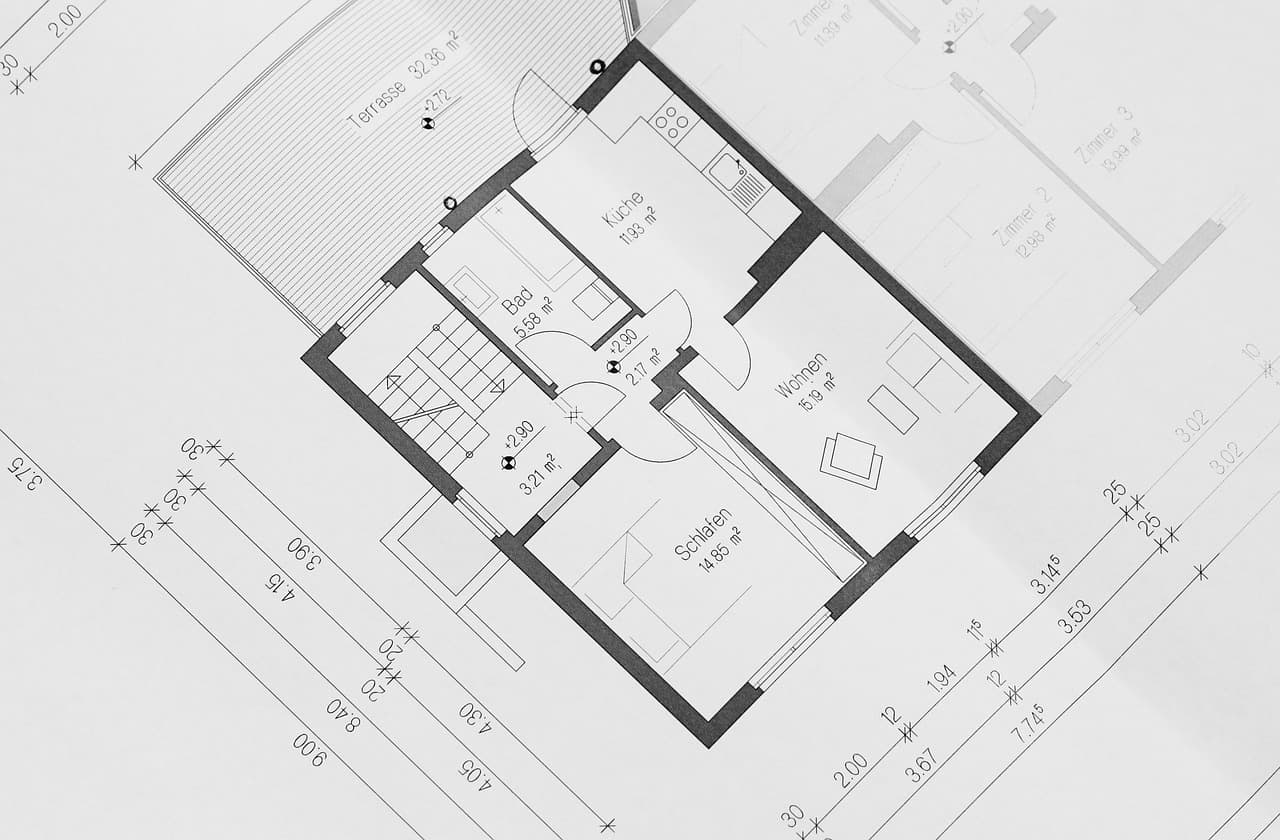
Scaling a render is different from scaling a plan. A render is a picture, and pictures lose sharpness when you blow them up. Scale a render down when you can. Keep the original file, so you can export a sharper version for the presentation later.
- Turn on rulers with View > Rulers, or press Shift R.
- Drag a guide from the ruler to mark a doorway or a window opening.
- Press F to draw a frame, then type the exact size in the design panel.
Build mood boards without starting from zero
A mood board is one frame that tells one story. Novatr suggests starting mood boards from a community template. Use that as a head start, then replace every sample with your own images. Check the license on any template before you reuse it in a client deliverable.
Keep the board to one page. Split the palette, the material samples and the lighting notes into separate frames inside it. Name each frame after the decision it supports, such as Floor Oak or Warm Lamp. Clients read names faster than they read long captions.
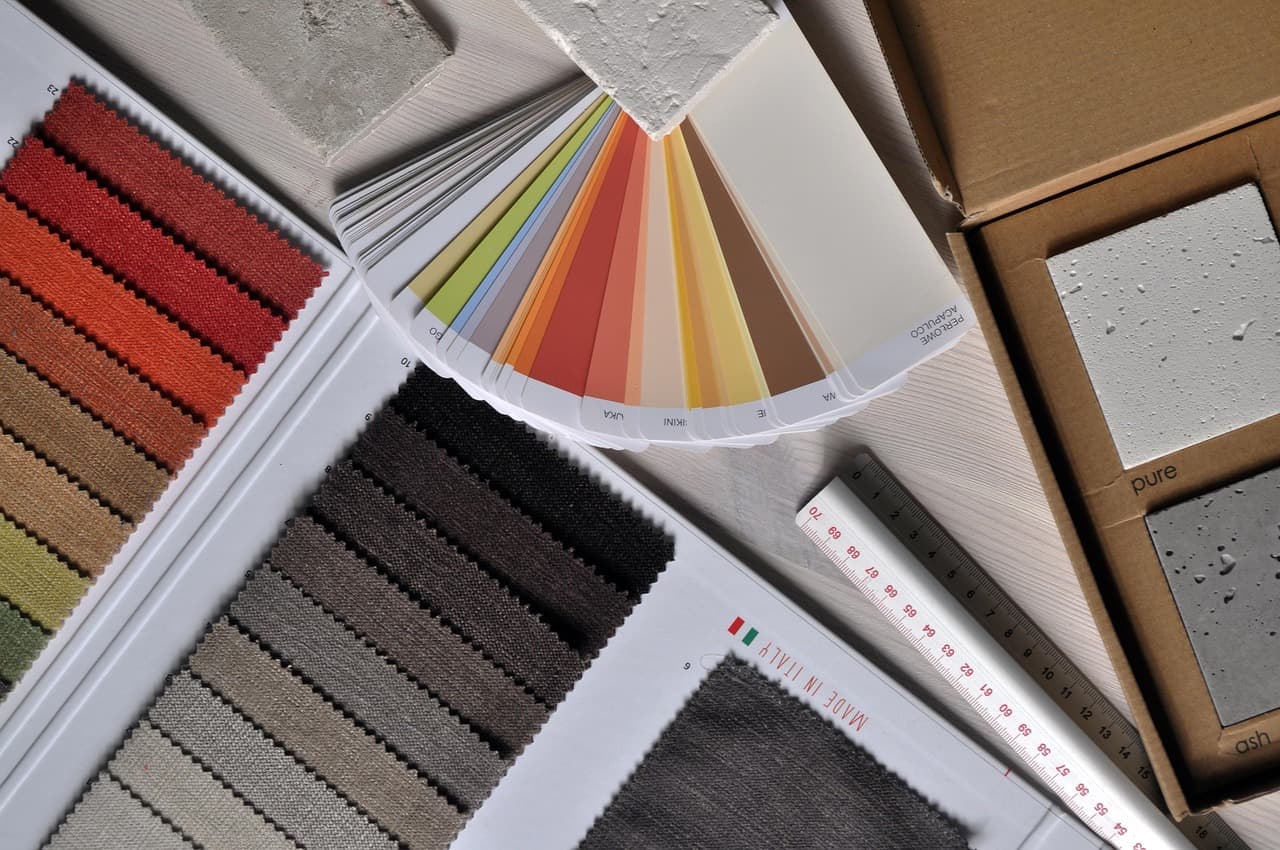
Some boards fail for a simple reason. They hold too many images and no decisions. Pick the three or four images that carry the mood. Move the rest into a parking page. A board with fewer images usually gets a faster yes from the client.
Compare fabrics, finishes and lighting with variants
Variants let you compare colour palettes, material finishes or lighting setups without copying the whole room. Novatr describes using them this way. The idea is simple. You build one component, add options as variants, and change the shared parts in one place.
- Select the frames or components you want to compare.
- Right-click and choose Combine as variants.
- Use the variant menu on the component to switch between options.
- Edit the shared shape once. Every variant updates with it.
Name each variant with the option and the supplier code, such as Oak Light or Linen B. Vague labels like Option C cause most of the back and forth by email. A clear name lets the client reply with one word.
Use auto layout for swatch rows and spec labels
Auto layout is the feature many designers find hardest to learn. It also saves the most rework on swatch rows and spec cards. Select a row of finish swatches, then press Shift A. Figma wraps them in an auto layout frame that holds the spacing for you.
Set the gap and the padding in the design panel. Then edit one swatch, a longer label for instance, and watch the row adjust. That is the moment auto layout pays off. A fixed row would overlap, and you would move each item by hand.
The full steps are in How to add auto layout in Figma on Mac. Practice on a throwaway frame first, so a wrong setting does not reach a client file.
Why big Figma files feel slow on Mac
A Figma community thread opened on July 23, 2025 says Figma Design became very slow. Users reported slow file opening, slow frame selection, slow resizing and delayed search. One macOS desktop user said search took several seconds every time. Staff asked users to check system requirements and to use app version 125.5.6 or later. The thread closed with no confirmed fix.
- Update the desktop app, then check that you are on version 125.5.6 or later.
- Split a very large project into phase files.
- Close other heavy apps before a long session.
- Remove unused pages from the main project file.
- Keep big reference photos in a separate file.
What offline Figma can and cannot do
Figma does not plan a fully featured offline mode. Its help center says so directly. Offline, the desktop app keeps unsynced changes in local browser storage. Those changes cannot be seen from another device. They expire after 30 days, or after 7 days in Safari. Clearing browser data deletes them.
| Task offline | Works? | What to do |
|---|---|---|
| Open a file you created while online | No | Open it and let it load before you leave |
| Receive collaborators' updates | No | Expect changes when you reconnect |
| Search or insert library components | No | Pick components before the trip |
| Install or run some plugins | No | Set them up while you are online |
| View version history | No | Check history when you are back online |
| Keep unsynced edits | Yes, for a limited time | Sync within 30 days, or 7 days in Safari |
What Figma's surveys say about working faster
Figma's 2026 State of the Designer report surveyed 906 digital designers through an online survey across several regions. Most respondents say they work faster now. Most also say new AI tools improve their designs. These figures describe designers in general. They are not a study of interior designers or Mac users, so treat them as context.
89%
of designers say they are working faster, from Figma's 2026 State of the Designer survey of 906 designers
State of the Designer 2026: Designers Are Leaning Into the Messy Middle84%
of designers work with developers at least weekly, per Figma's 2025 designer and developer trends report
Designer and Developer 2025 Trends30 days
how long unsynced offline changes stay before they expire in Figma
What can I do offline in Figma?91%
of designers say new AI tools improve their designs, from the same 2026 report
State of the Designer 2026: Designers Are Leaning Into the Messy MiddleFigma's 2025 trends page reports that 84 percent of designers work with developers at least weekly. It also says 63 percent rate collaboration as effective or very effective. For interior work, the other party is often a builder or a supplier. The habit still holds. Put decisions in the file where the other person can see them.
Share with clients and suppliers without giving away edits
Use a view-only link when a client only needs to review. Use edit access only for people who change the file. The steps are in How to share a Figma file with view access on Mac.
Suppliers are the riskiest share. A supplier with edit rights can move your frames without knowing it. Send them an exported image or a view link instead. The export steps are in How to export a frame as PNG in Figma on Mac.
Write the finish, the size and the version next to every option. Builders should not have to guess which version is current. Put the version in the frame name, and date the final export. The date is the first thing a site manager checks.
Where Lazur helps while you work in Figma
Lazur is a voice assistant for the Mac, and it lives in the notch. Hold ⌥ ⌘ to ask about anything on screen, and Lazur answers out loud. It listens and looks at the screen only while you hold the shortcut. Audio and the screenshot go to AI providers to answer, and they are not stored. Content is never used to train AI models.
Ask where something is, and Lazur draws a circle and a label around it. Ask how to do something, and Lazur guides you one click at a time, waiting for each click. Lazur does not click buttons, edit files or operate Figma for you. You stay in control of every change in the file.
Hold fn to dictate clean text at the cursor in any app. Use it for room notes, client emails and short frame labels you paste in. Lazur also keeps a memory of what you asked and did, kept on the Mac.
- Where is the Scale tool on this toolbar?
- Walk me through making a variant set for these fabric swatches.
- Why does this frame stretch when I add a row?
- Draft a short note to the supplier about the oak finish.
- Remind me to send the mood board on Friday afternoon.
Mistakes that slow interior designers down in Figma
- Resizing furniture with a corner handle alone. Press K when proportions matter.
- Leaving layers called Rectangle copy. Rename each layer after the object, so search finds it.
- Putting every option on one page. Use variants or separate frames instead.
- Typing sizes from memory. Check the design panel against the spec sheet before you present.
- Sharing an edit link with a supplier out of habit.
- Working offline for weeks. Unsynced changes expire, and they stay on one device.
Shortcuts to learn first on a Mac
| Task | Mac shortcut | Use it for |
|---|---|---|
| Frame tool | F | Make a room or a board |
| Scale tool | K | Resize furniture or renders in proportion |
| Auto layout | Shift A | Stack swatches, labels and spec rows |
| Create component | ⌥ ⌘ K | Reuse a sofa or a light fixture |
| Duplicate | ⌘ D | Copy a layer in place |
| Group | ⌘ G | Keep a sofa and its legs together |
| Rulers | Shift R | Check room edges and openings |
Keep the list nearby until your hands know it. If you forget one, open the panel with the help button. The steps are in How to show keyboard shortcuts in Figma on Mac.
Set up components and variables for repeat work
Components pay off when the same piece appears in many rooms. A sofa, a light fixture or a door swing should live in one component. Create one with ⌥ ⌘ K, then place copies in each room. Change the main component, and every copy follows. The steps are in How to create a component in Figma on Mac.
Variables help when one colour must match across many frames, such as a warm white for every wall. Set the value once, then point each frame at it. Start with How to create a variable in Figma on Mac, and keep the names plain.
Check plans and pricing before you commit
Figma offers a free Starter plan and paid plans for professionals and organizations. Plan limits and seat prices change, so check Figma's pricing page before you commit a studio. Look at file limits, version history and seat types in particular.
Lazur has a free trial and does not ask for a card. The Pro and Power plans are on the pricing page. Use the first session to test the shortcut in your real files, not in a demo file.
Next steps for this week
- Create one project file for your current client, with a page per phase.
- Build each room as a frame and type the real sizes.
- Make one variant set for the fabric choices.
- Export a view-only copy to send to the client.
- Hold ⌥ ⌘ and ask Lazur where the Scale tool is.
Start small and keep the file tidy. A clean file with honest sizes beats a pretty board with guessed numbers. Revisit the structure after your first finished project, and change what slowed you down.
Questions people ask
Is Figma for interior designers on Mac different from the Windows version?
The core tools are the same. Figma's release notes list a November 6, 2026 AI Select area tool that is available on the macOS desktop app only. Check the release notes for newer Mac-only features before you plan around one.
Does Figma work offline on a Mac?
Only in a limited way. Figma does not plan a fully featured offline mode. Unsynced changes stay in local browser storage, expire after 30 days or 7 days in Safari, and are deleted if you clear browser data.
How do I draw a floor plan in Figma?
Build each room as a frame. Draw walls as thin rectangles, and type the real sizes in the design panel. Turn on rulers with View > Rulers or Shift R, and add guides for openings.
How do I resize furniture to scale in Figma?
Select the object, press K for the Scale tool, and drag a corner. Novatr recommends this for furniture and renders. Read the new width in the design panel afterwards, so the size matches your spec sheet.
Why is Figma slow on my Mac?
A July 2025 community thread reports slow opening, selection, resizing and search on macOS. Staff asked users to check the app version and use 125.5.6 or later. The thread closed with no confirmed fix, so split large files and close heavy apps too.
Can Lazur draw my floor plan or move my furniture?
No. Lazur points, explains and guides you one click at a time, but it does not click buttons or edit files. You make every change. Lazur can explain a tool, find a button on screen, or draft text for a client note.
How do I share a mood board with a client without letting them edit it?
Use a view-only link. Edit access is for teammates who change the file. For suppliers, an exported image is often safer, because a supplier with edit rights can move frames by accident.
Is there a free way to try Lazur before I pay?
Lazur has a free trial that does not ask for a card. The Pro and Power plans are listed on the pricing page. Test the shortcut in your real files during the trial, so you see how it handles your own work.
Sources
- Figma product news and release notes · Figma · checked 2026-11-08
- What can I do offline in Figma? · Figma Help Center · checked 2026-11-08
- Figma Pricing · Figma · checked 2026-11-08
- State of the Designer 2026: Designers Are Leaning Into the Messy Middle · Figma · checked 2026-11-08
- Designer and Developer 2025 Trends · Figma · checked 2026-11-08
- figma design became very slow · Figma Community Forum · checked 2026-11-08
- Using Figma AI Design for Managing Interior Designing Teams · Novatr · checked 2026-11-08
Try Lazur free for 3 days
Hold a key and ask. Lazur sees your screen, points at the button and talks you through it, in any Mac app. No credit card.